 Radmard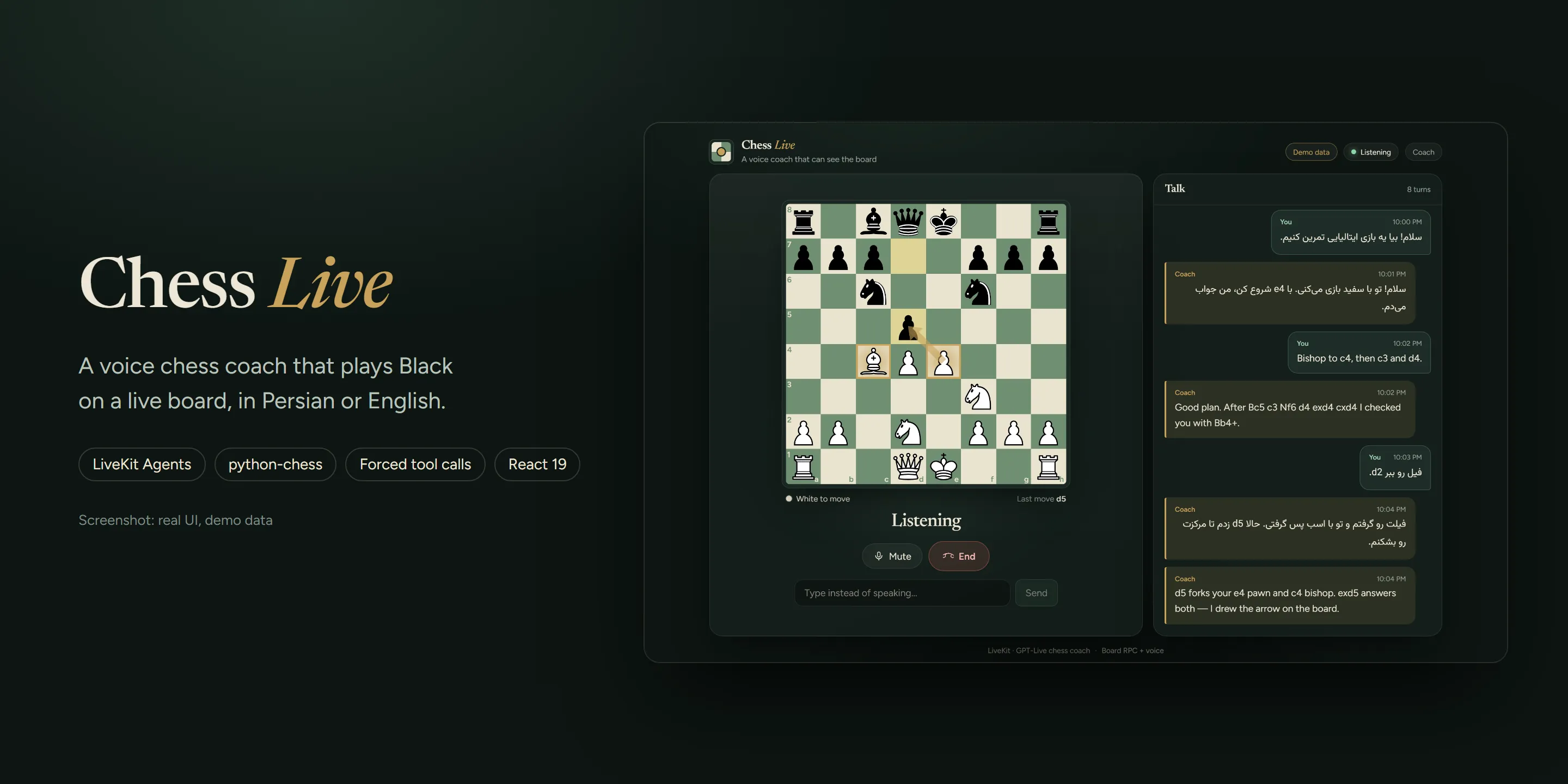
Real UI, demo data (scripted mid-game from src/demo.ts).
Talk to a chess coach, play White by voice, and watch it answer as Black on a live board, in Persian or English.
A bilingual (Persian / English) voice chess coach. You talk to it over LiveKit, play White by voice, and it plays Black on a live board in the browser.
Highlights
- The voice model can’t fake a move. Every board change goes through a backend model with
tool_choice="required"; talking alone never moves a piece. python-chessowns the rules. Legality, SAN, check/mate and FEN come from the engine, not the LLM.- Agent and browser stay in sync over LiveKit RPC: position, last-move highlights and coaching arrows.
- Coach / Play handoff without reconnecting the realtime voice session.
- Persian and English in the same conversation, with right-to-left transcript rendering.
Screenshots
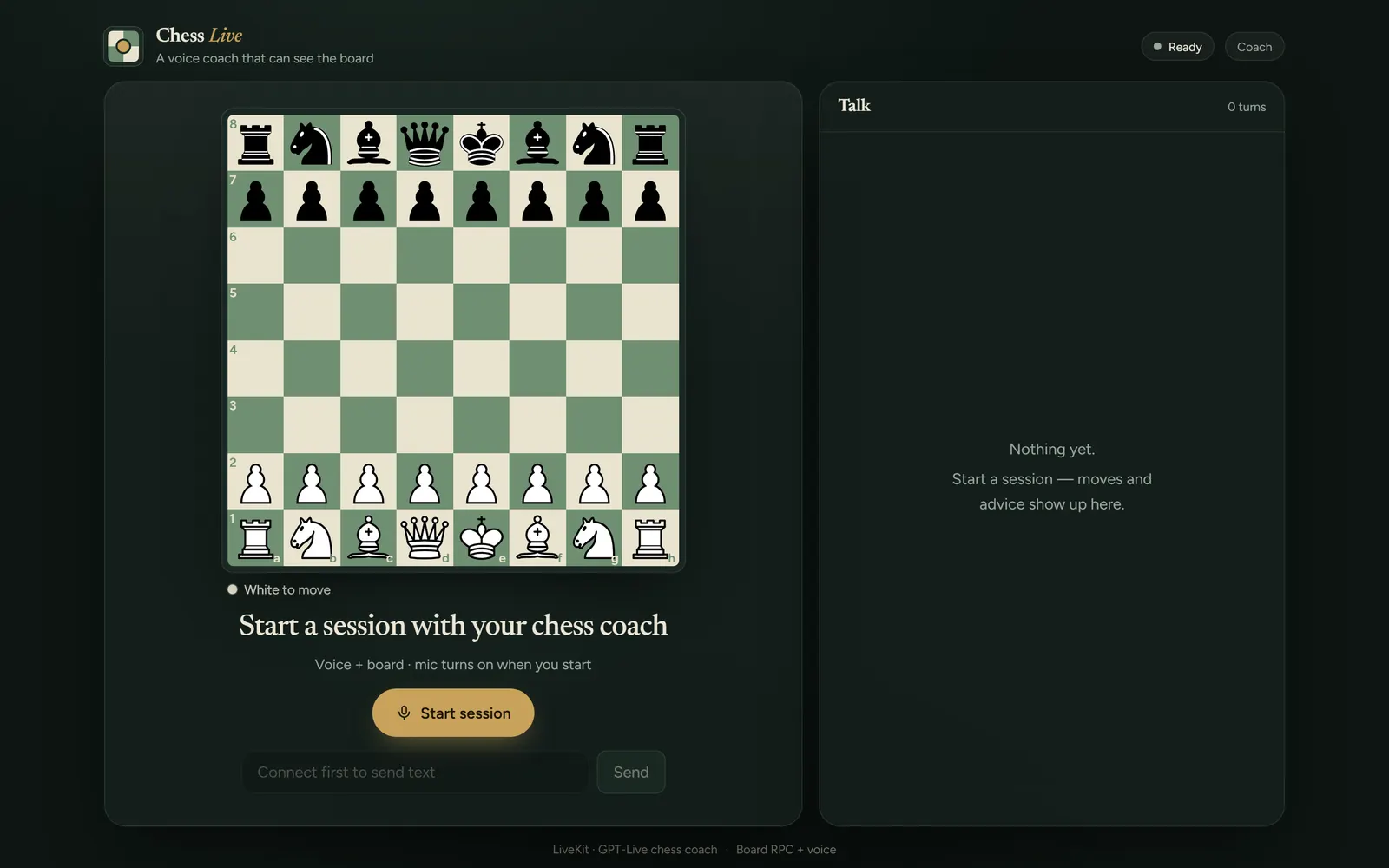
| Mid-game coaching (demo data) | Ready to start (demo data) |
|---|---|
 |  |
Mid-game: Italian Game after 8…d5. The coach highlights the forked pieces on e4 and c4 and draws the exd5 arrow, while the transcript mixes Persian and English turns. All of it is scripted demo data (src/demo.ts, open the UI with ?demo); no model was called.
Ready to start (demo data): the idle board before a session. The /api/health response is mocked as configured; without LiveKit credentials the real app shows a “not configured” notice instead.
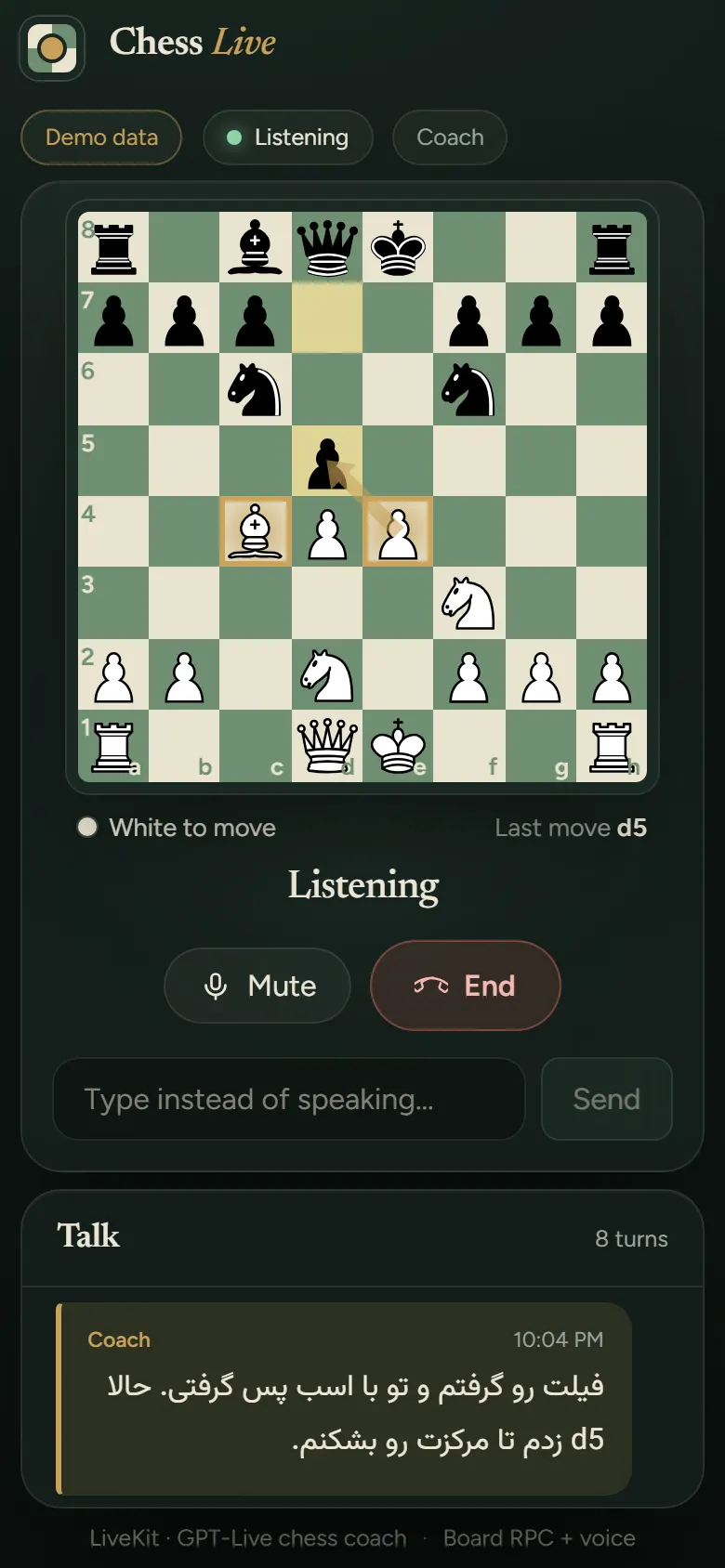
Mobile (right, demo data): the board and controls stack above the transcript on narrow screens; the visible coach turn shows Persian rendered right-to-left.
Why it’s interesting
- Voice model never touches the board. Speech models happily claim a move happened without doing it. A second backend model runs with
tool_choice="required", so every move request must end in a tool call (student_move,reply_as_black,new_game,undo). The voice persona is told talking does not move pieces (agent/agent.py). - The engine library owns the rules.
python-chessvalidates every move and produces SAN, status and FEN; the model only chooses among legal moves (agent/chess_game.py). The browser board is kept in sync over LiveKit RPC. - Coach / Play handoff without reconnecting.
CoachAgentandPlayAgentshare an identical persona string (changing it would force the realtime session to reconnect) and differ only in tools, e.g.play_move. - Persian and English. The persona matches the user’s language; transcript lines are rendered with
dir="auto"so Persian reads right-to-left.
Architecture
flowchart LR
  UI[React UI: board + call controls] -- POST /api/token --> T[Node token server]
  UI <-- WebRTC + RPC --> LK[LiveKit room]
  LK <--> A[Python agent]
  A --> V[Voice model]
  A --> B[Backend model, tool_choice=required]
  B --> G[python-chess game state]
  G -- board.set_position / highlight / arrows --> UI
The browser sends moves to the agent via host.user_move; the agent pushes position, highlights and arrows back via board.* RPC.
Tech stack
Vite, React 19, TypeScript, livekit-client, react-chessboard, chess.js, livekit-server-sdk (Node token endpoint); Python 3.12, livekit-agents, python-chess, pytest, uv.
Key techniques
- Forced tool calling for state mutation:
agent/agent.py(BACKEND,responses_options). - Silent board briefings to the voice model instead of exposing tools to it.
- RPC bridge between agent and browser:
agent/agent.py,src/hooks/useChessBoard.ts. - Token minting with a testable module:
server/livekit-token.mjs.
Getting started
cp .env.example .env          # LIVEKIT_URL, LIVEKIT_API_KEY, LIVEKIT_API_SECRET, OPENAI_API_KEY
cd agent && uv sync --extra dev && uv run python agent.py dev     # terminal 1
npm install && npm run dev                                         # terminal 2
Open the printed local URL, grant the mic, and say a White move. npm run build && npm start serves the built UI and /api/token from server.mjs.
No credentials? npm install && npm run dev, then open http://localhost:5173/?demo to see the UI with a scripted mid-game (demo data, no LiveKit or model involved).
Tests
cd agent && uv run pytest     # 14 tests: chess rules + persona/tool wiring
npm run lint
node --test server/livekit-token.test.mjs
License
MIT
Built by Sepehr Radmard · LinkedIn · GitHub · more projects on my profile