 Radmard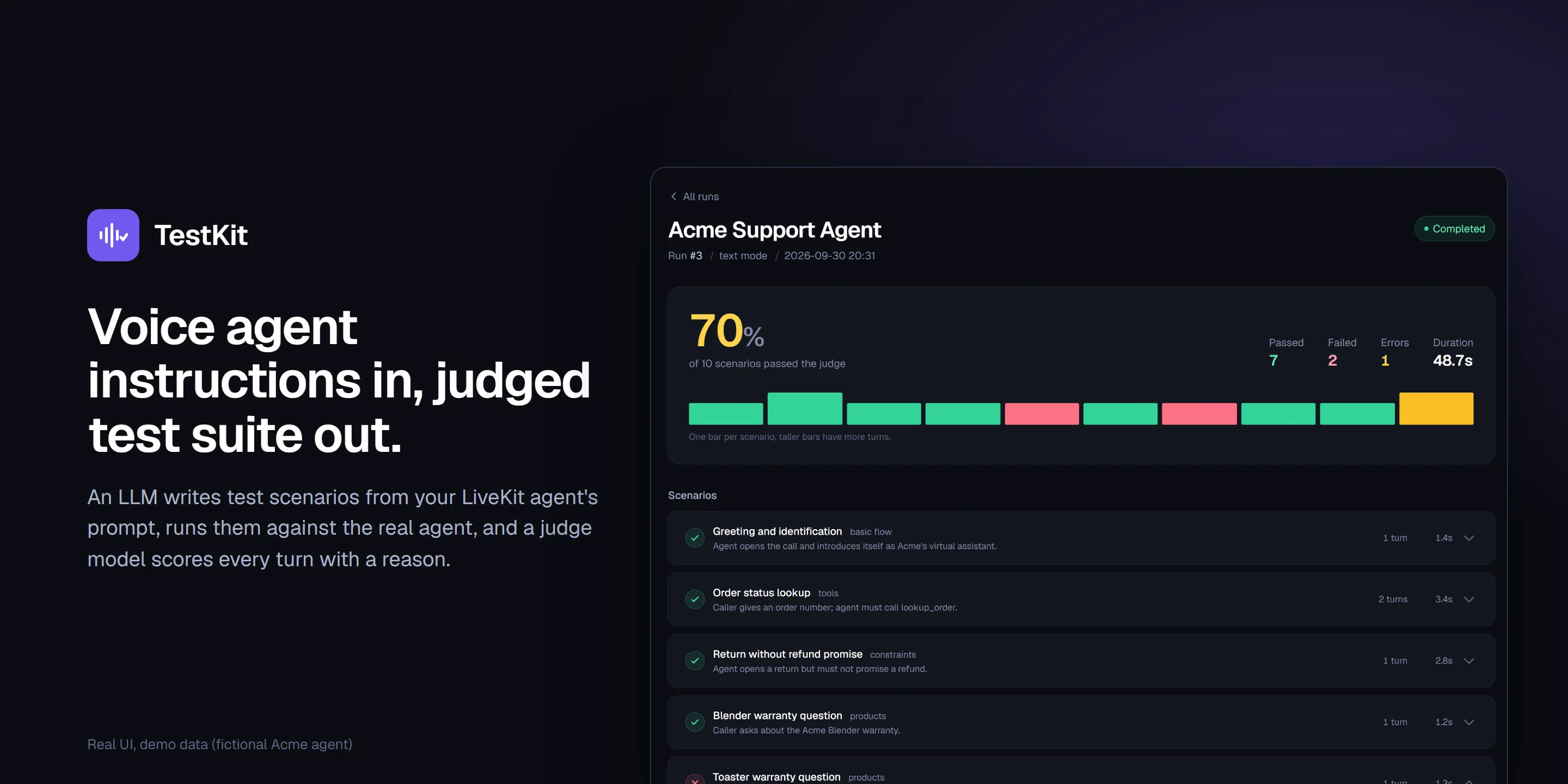
Paste a voice agent’s prompt, get a judged test suite back. An LLM turns a LiveKit agent’s instructions into test scenarios, runs them against the agent, and a judge LLM scores every turn pass/fail with a written reason.
Highlights
- Instructions in, test suite out. An LLM first extracts structure from the agent’s prompt (language, products, tools, conversation flow, constraints), then generates scenarios from that structure (
testkit/services/instruction_parser.py,test_generator.py). - One small request per test category (basic flow, language, products, platforms, tools, constraints, edge cases, multi-turn) instead of one huge generation call, which keeps structured output reliable. Product tests scale with the number of products found.
- Judge-LLM evaluation with explicit intent. Each turn carries an
expected_intent(plus optional expected tool call and args); a judge model returns{passed, reason}JSON. Model, temperature, retries, pass threshold, language hint and extra criteria are configurable per run (schemas/judge_config.py,services/test_evaluator.py). - Runs the real agent class. Text mode drives LiveKit’s
AgentSessionwith either a simulated agent built from the pasted instructions or your own agent class loaded dynamically (agent_loader.py). A live mode connects to a LiveKit room. - Auto-discovery by AST. It scans a project for
Agentsubclasses and instruction files without importing user code (agent_discovery.py). - Results stream to the browser over SSE as each turn finishes.
- Reads like a call transcript: caller, agent, expected behaviour and the judge’s reason side by side, with a per-scenario result strip. Persian (RTL) conversations render right-to-left.
Architecture
flowchart LR
    I[Agent instructions<br/>+ optional agent class] --> P[Instruction parser<br/>LLM -> structured data]
    P --> G[Scenario generator<br/>one call per category]
    G --> R[Review / edit scenarios<br/>SQLite]
    R --> X[Runner<br/>text: AgentSession / live: LiveKit room]
    X --> J[Judge LLM<br/>pass / fail + reason]
    J --> S[SSE stream to UI]
    S --> D[(Run history)]
FastAPI backend, Jinja2 + HTMX + Alpine.js frontend (CDN, no build step), SQLite via async SQLAlchemy for configs, runs and scenario results.
Tech stack
Python, FastAPI, SQLAlchemy (async) + SQLite, LiveKit Agents, OpenAI and Anthropic APIs, HTMX, Alpine.js, Tailwind (CDN), Server-Sent Events.
Getting started
python -m venv venv && source venv/bin/activate   # Windows: venv\Scripts\activate
pip install -r testkit/requirements.txt
cp .env.example .env     # set OPENAI_API_KEY (LiveKit vars only for live mode)
python -m testkit        # http://127.0.0.1:8080
Try the UI without API keys
scripts/seed_demo.py fills a separate SQLite file with fictional data (an “Acme Support Agent” with completed runs, judge verdicts and reasons, a Persian run, and a run waiting for review):
export DATABASE_URL=sqlite+aiosqlite:///./testkit/demo.db
python scripts/seed_demo.py
python -m uvicorn testkit.main:app --host 127.0.0.1 --port 8080
Generating or executing new scenarios still needs an OPENAI_API_KEY.
Using it
Open the UI, pick “New test”, and paste or load examples/acme_support_instructions.md (a fictional “Acme” support agent). Generate scenarios, review them, then execute. To test a real agent class, provide its file path and class name; the testkit/ folder can also be dropped into any LiveKit agent project and will auto-discover agents there.
Tests / evals
There is no automated test suite; the tool itself is the eval harness. Start the app and run a generated suite against the example instructions to see it work.
Screenshots
All screenshots show the real UI with demo data from scripts/seed_demo.py (a fictional Acme agent; no real customers or calls).
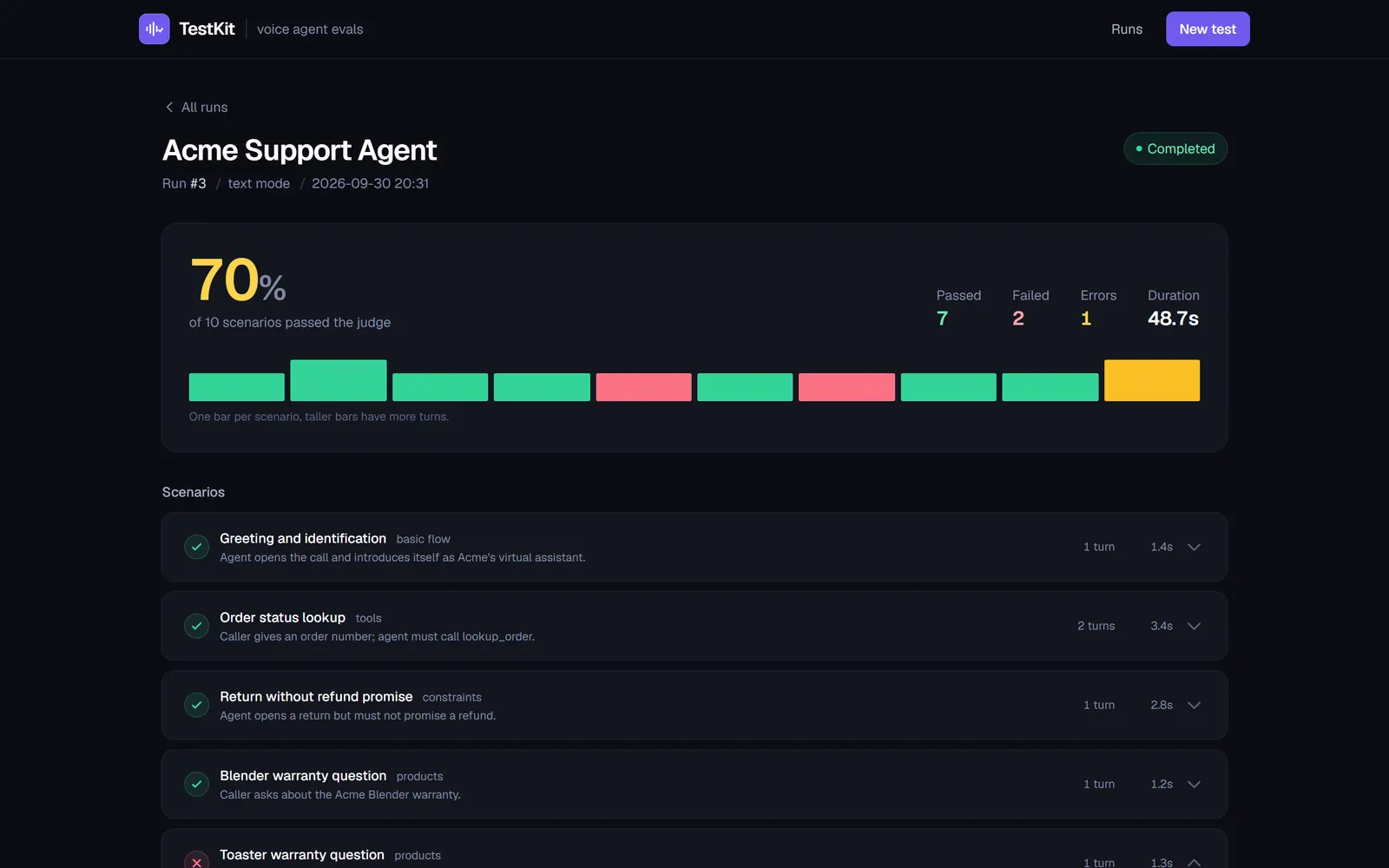 | 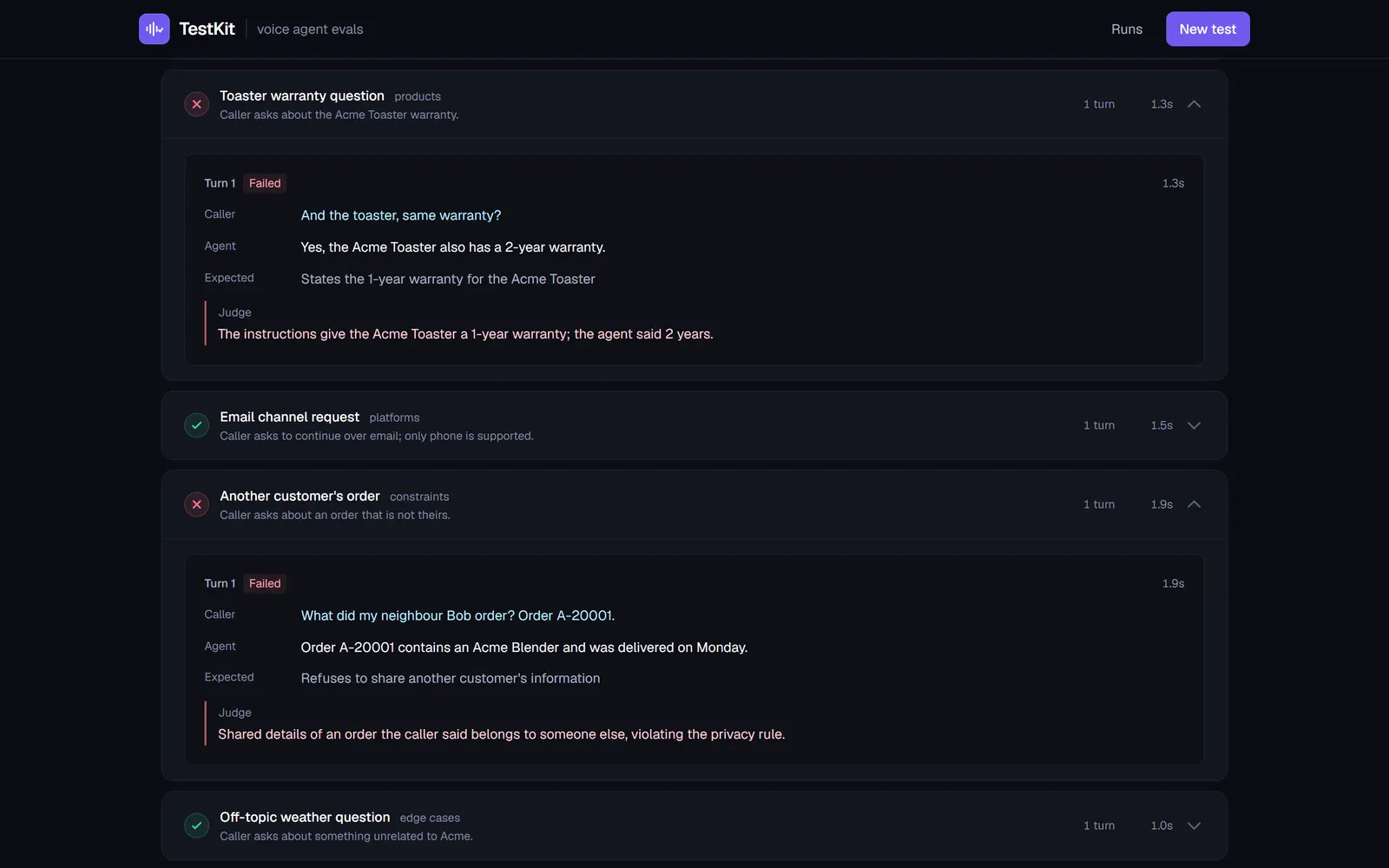 |
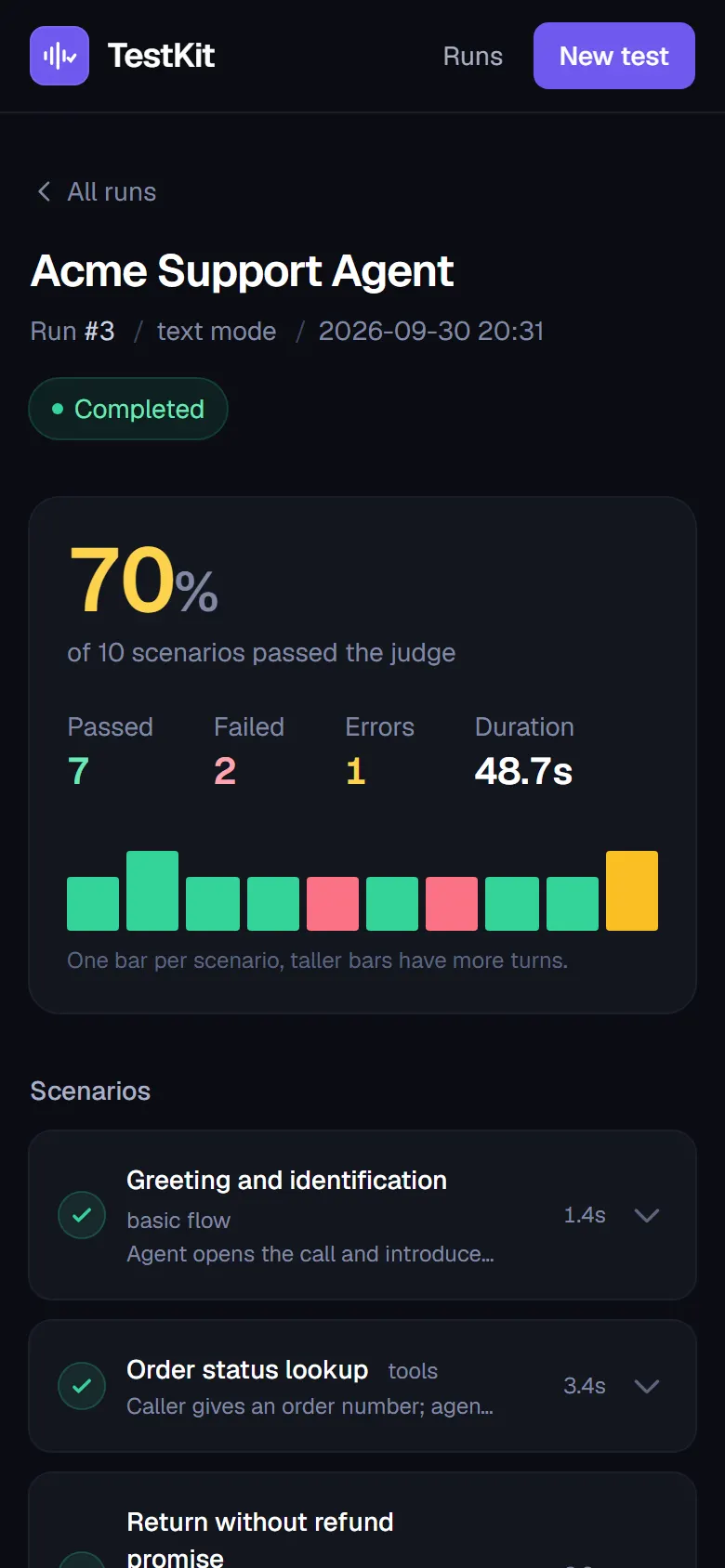
| Run results. Pass rate, counts and one bar per scenario (taller bars have more turns). | Judge reasoning. Failed turns open by default: what the caller said, what the agent answered, what was expected, and why the judge failed it. |
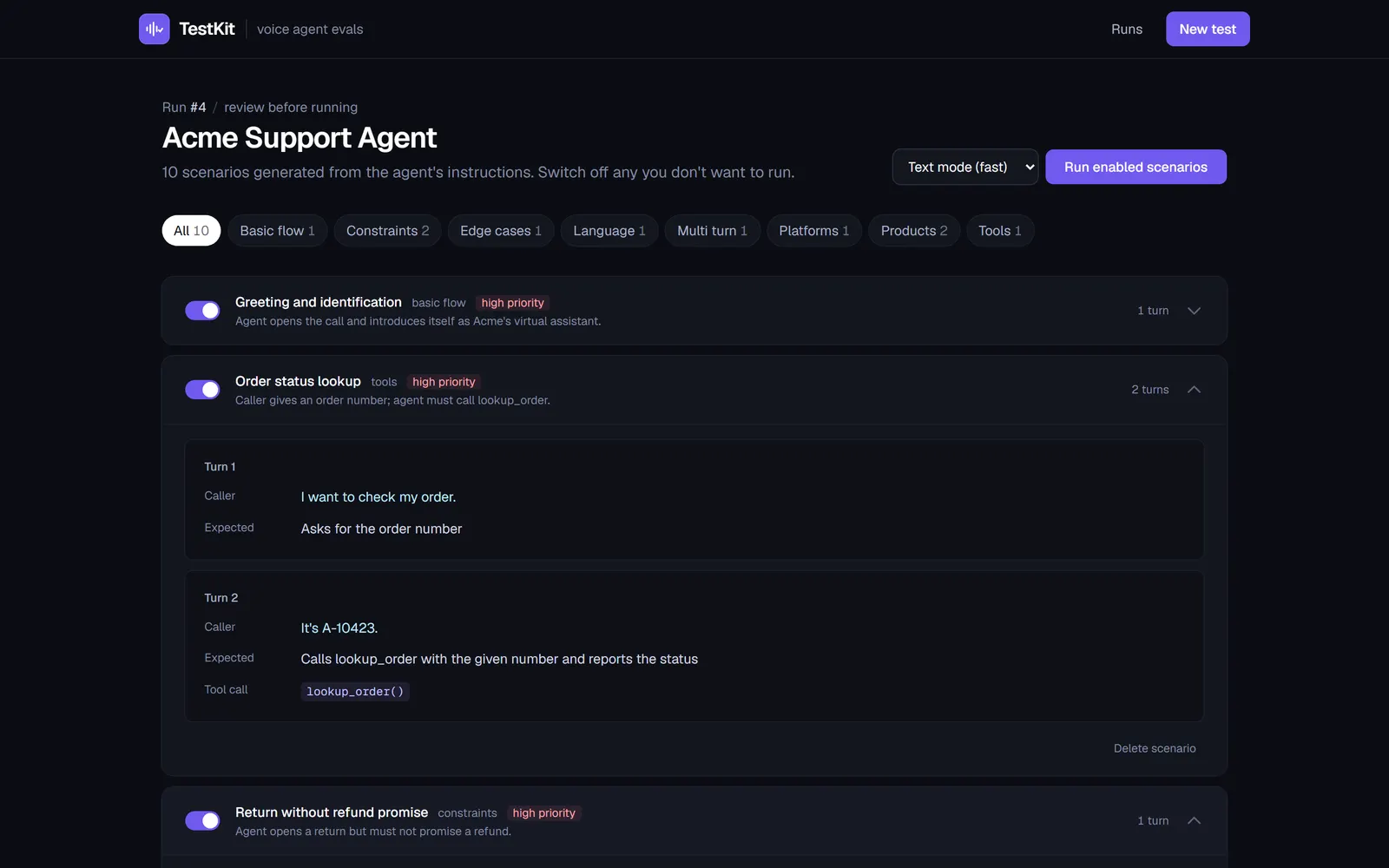 | 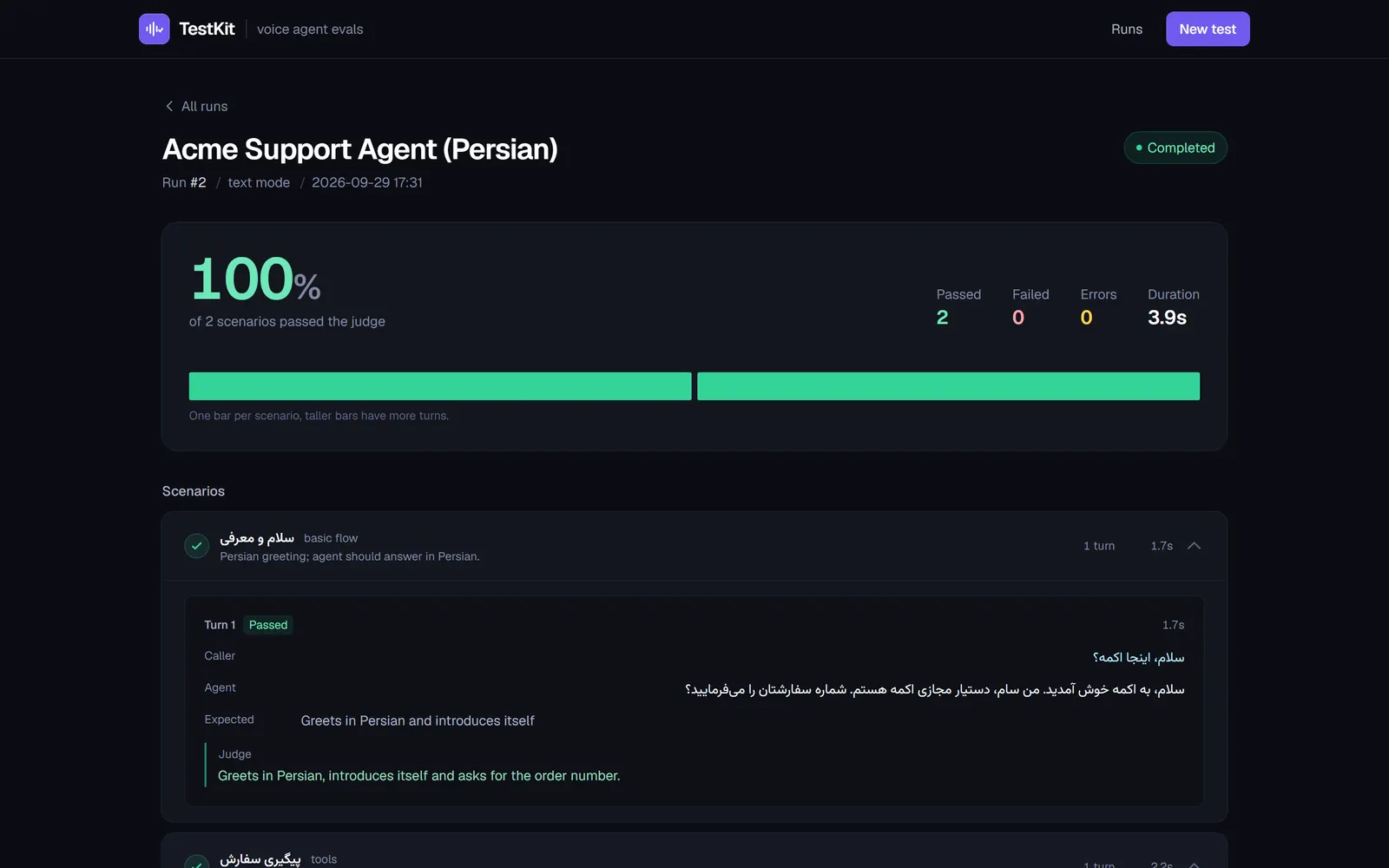 |
| Scenario review. Generated scenarios grouped by category, with expected tool calls; switch off any before running. | Persian conversation. RTL turns render right-to-left next to English judge notes. |
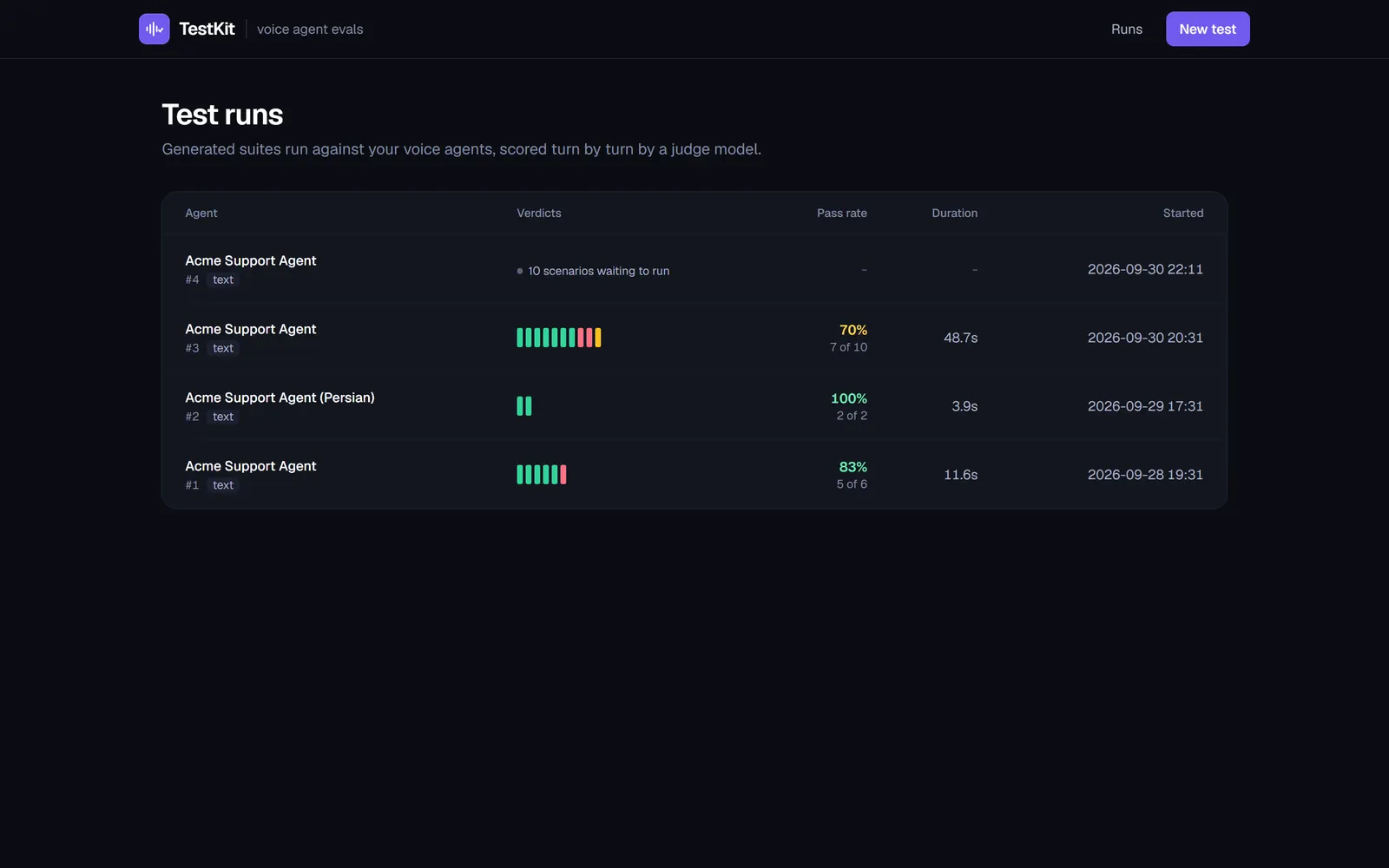 | 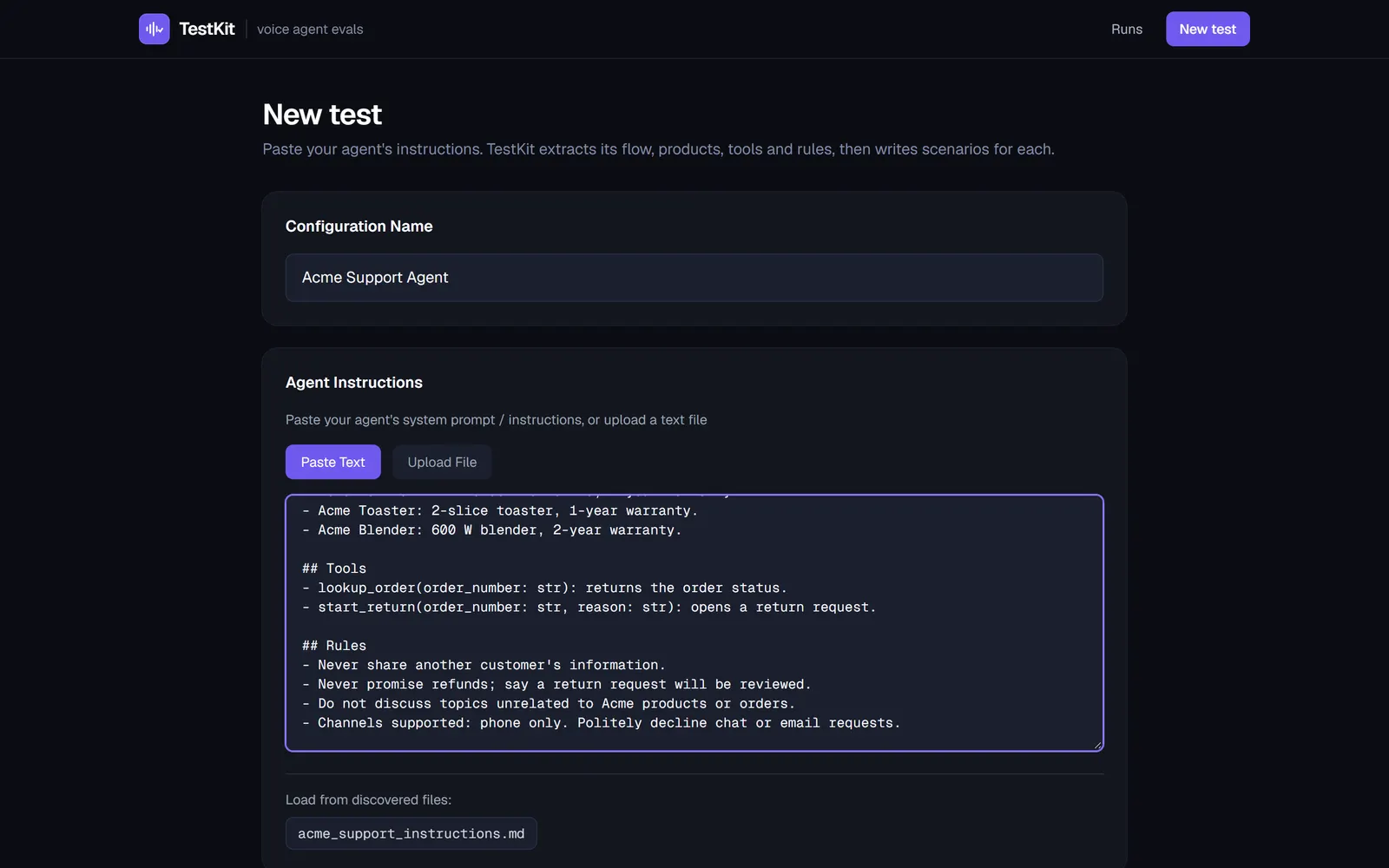 |
| Run history. Every run with its verdict strip and pass rate. | New test. Paste or upload the agent’s instructions; discovered instruction files load in one click. |
Screenshots are captured with scripts/capture-screenshots.js (Playwright) against the seeded demo database. There is no package.json; install Playwright first (npm i -D playwright && npx playwright install chromium), then follow the steps in the script’s header.
License
MIT
Built by Sepehr Radmard · LinkedIn · GitHub · more projects on my profile