 Radmard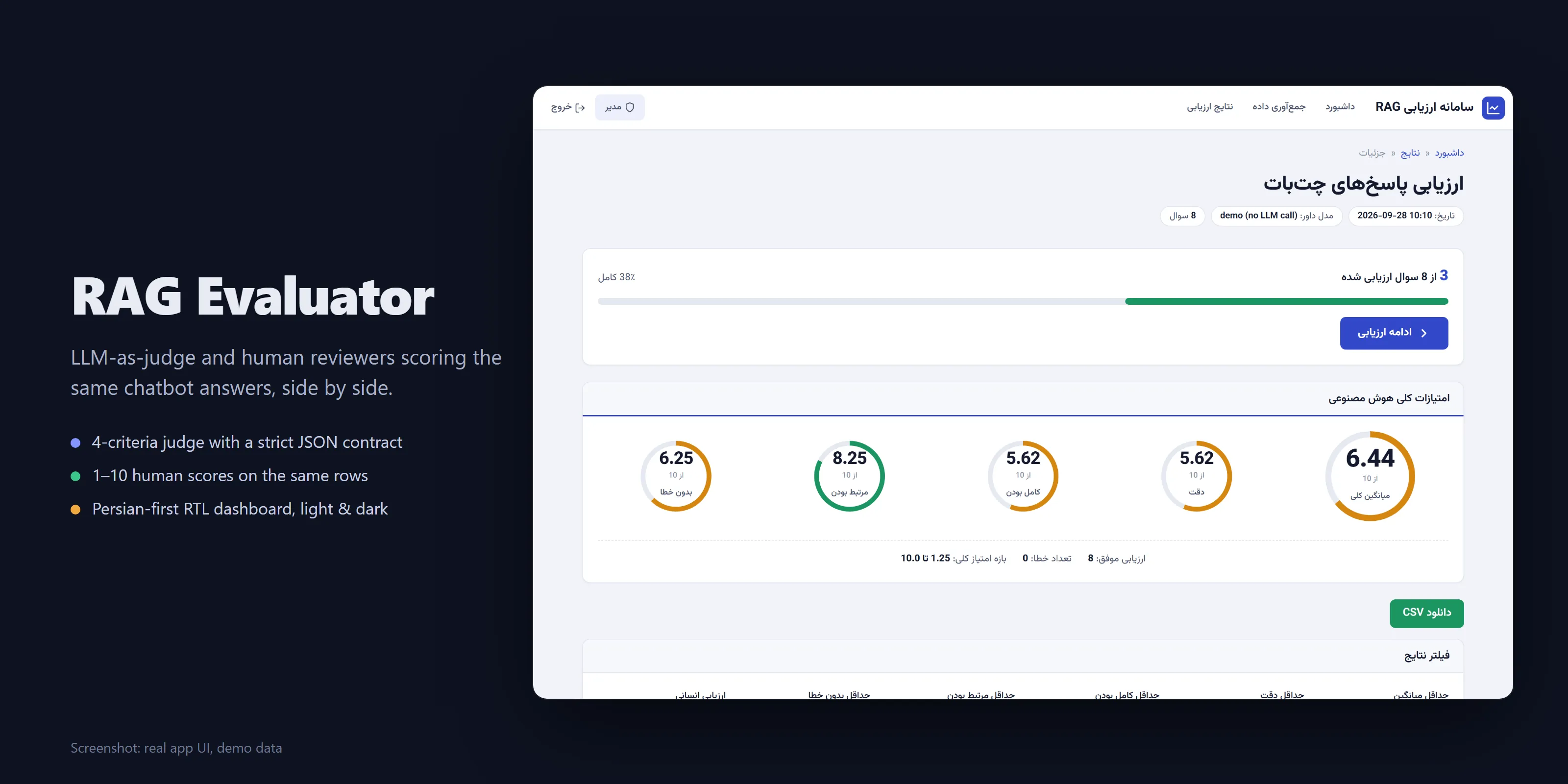
Find out where your RAG chatbot is wrong: an LLM judge scores every answer on four criteria, and human experts score the same answers side by side.
Highlights
- LLM-as-judge, 4 criteria (accuracy, completeness, relevance, faithfulness) with a few-shot prompt and a strict JSON contract.
- Human-in-the-loop scoring on the same rows, with AI scores hidden by default to reduce anchoring, and keyboard shortcuts for fast review.
- Robust batch runs: thread-pool judging, tenacity retries, errored rows flagged instead of silently scored zero.
- Optional answer collection from a Dify chatbot: async, bounded concurrency, partial saves.
- Persian-first RTL UI with light and dark themes and a mobile-friendly scoring page.
Why it’s interesting
- Judge and humans on the same rows. Every question gets four LLM scores plus a 1-10 human score and comment stored in the same result file, so you can see where the judge and people disagree.
- Few-shot judge prompt with a fixed JSON contract (
evaluator/prompts.py), and a tolerant parser (_parse_responseinevaluator/llm_judge.py) that strips code fences and extracts the JSON object even when the explanation is long Persian text. Unparseable rows are flaggederrorand excluded from aggregates instead of silently counted as zero. - Robust batch execution. Thread-pool judging with tenacity retries, error messages with suggestions, per-file locks for concurrent human-score writes, and an mtime-invalidated results cache.
- Answer collection from a Dify chatbot (
evaluator/dify_client.py): async, semaphore-bounded, with backpressure after consecutive failures, incremental partial saves and a retry pass. Optional; you can also bring your own answers in a CSV. - Persian-first: Persian column names, RTL Bootstrap, Vazirmatn font, few-shot examples in Persian.
Architecture
flowchart LR
    DS[(Dataset CSV/XLSX<br/>question, reference, agent answer)] --> DL[DataLoader]
    Q[Question list XLSX] -. optional .-> DC[Dify client<br/>async collection] --> DS
    DL --> J[LLMJudge<br/>OpenRouter, thread pool, retries]
    P[Few-shot judge prompt] --> J
    J --> R[(results/evaluation_*.json)]
    R --> UI[Flask + Jinja2 RTL dashboard]
    H[Human reviewers<br/>1-10 score + comment] --> UI
    UI -->|write back| R
    UI --> CSV[CSV export]
The Flask app (app.py) runs judging and collection as background threads with pollable progress endpoints. Results live as JSON files; human scores are written back into the same file.
Evaluation methodology
Each row is (question, ground-truth answer, agent response). The judge sees all three and returns JSON with four 0-10 scores and a short explanation.
| Criterion | Question the judge answers |
|---|---|
| Accuracy | Is the response factually consistent with the ground truth? |
| Completeness | Does it cover the key points of the ground truth? |
| Relevance | Does it address the question that was asked? |
| Faithfulness | Is it free of invented details not supported by the ground truth? |
- Judge prompt:
evaluator/prompts.py- role description, three graded few-shot examples (excellent, good, poor), the criteria definitions above, then the row to score. Temperature 0.1 by default. - Aggregates: per-criterion mean/min/max plus an overall mean, computed over non-errored rows.
- Human-in-the-loop: reviewers open a row, see question, reference and agent answer first (AI scores are collapsed to reduce anchoring), pick 1-10, optionally comment, and move to the next unscored row. Experts and admins have separate roles.
- Known limitation: low reasoning effort with a small token budget can truncate the judge’s JSON; raise
JUDGE_MAX_TOKENSor disable reasoning (JUDGE_REASONING_EFFORT=off) if you see errored rows.
Tech stack
Python, Flask (+ Flask-WTF CSRF, Flask-Compress), pandas/openpyxl, requests + tenacity, aiohttp, OpenRouter (any model), Jinja2 + Bootstrap 5 RTL.
Getting started
python -m venv venv && source venv/bin/activate   # Windows: venv\Scripts\activate
pip install -r requirements.txt
cp .env.example .env    # set SECRET_KEY, ADMIN_PASSWORD, EXPERT_PASSWORD, OPENROUTER_API_KEY
python app.py           # http://127.0.0.1:5000
A synthetic demo dataset ships in uploads/sample_qa.csv (8 questions about a fictional “Acme” employee handbook, with some deliberately wrong or evasive agent answers). Log in as admin, start an evaluation on it, then score rows as an expert.
No API key? results/evaluation_demo.json is a pre-judged result for that dataset. It was produced by python scripts/seed_demo_results.py, which runs the real judge pipeline (prompt building, JSON parsing, aggregation) but swaps the OpenRouter call for canned, fictional judgments. The judge model shows as demo (no LLM call). Start the app and open it from the Results page.
Dataset format: CSV (UTF-8) or XLSX with columns سوال, جواب مرجع, Agent Response.
To collect answers from a Dify app instead, set DIFY_API_URL and DIFY_API_KEY and use the Collect page. test_dify_connection.py is a connectivity and load-test script for that endpoint.
Tests
There is no automated test suite. python test_dify_connection.py checks the optional Dify connection.
Screenshots
All screenshots show the real app with demo data (synthetic dataset plus fictional judge outputs, no LLM call).
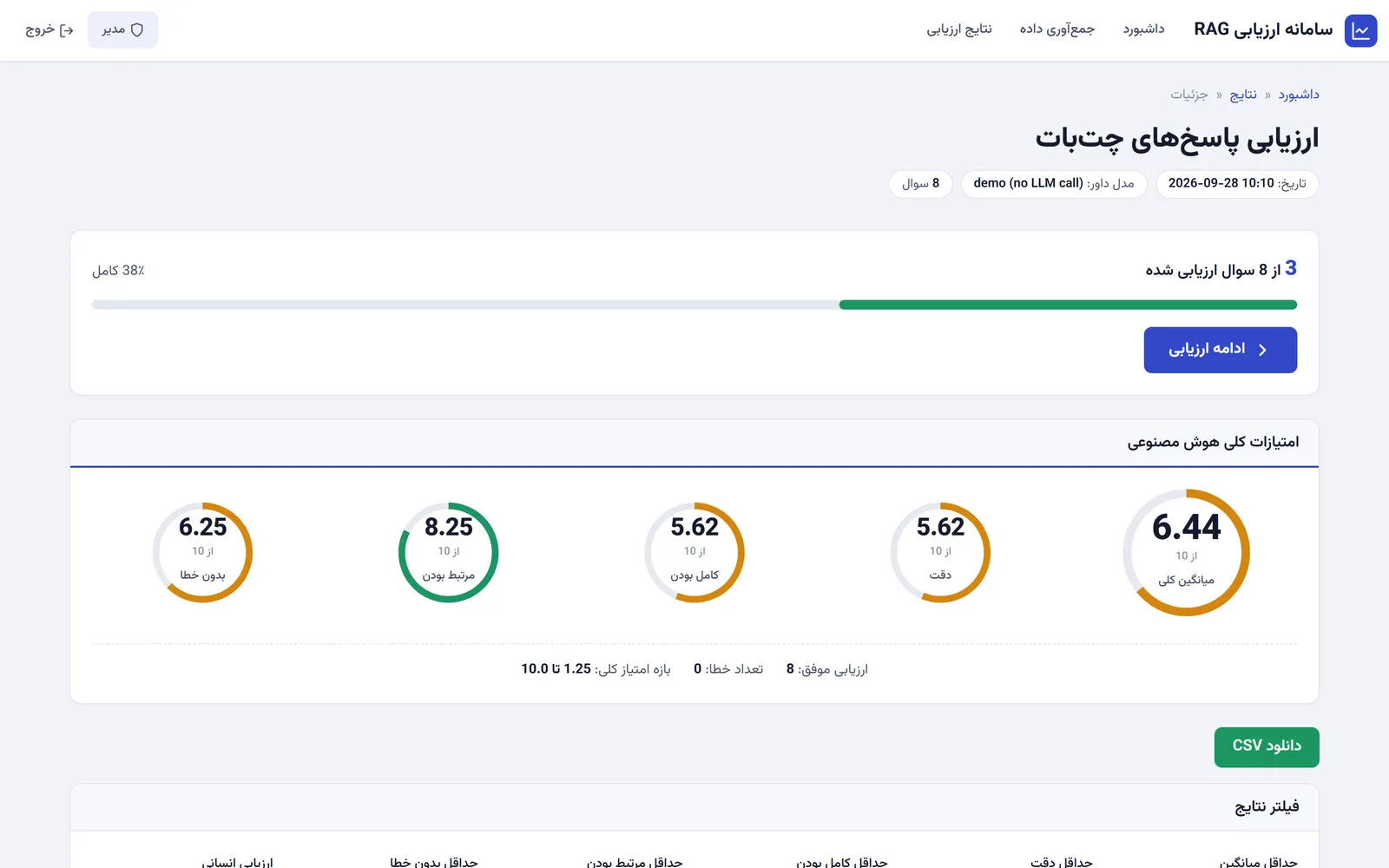 | 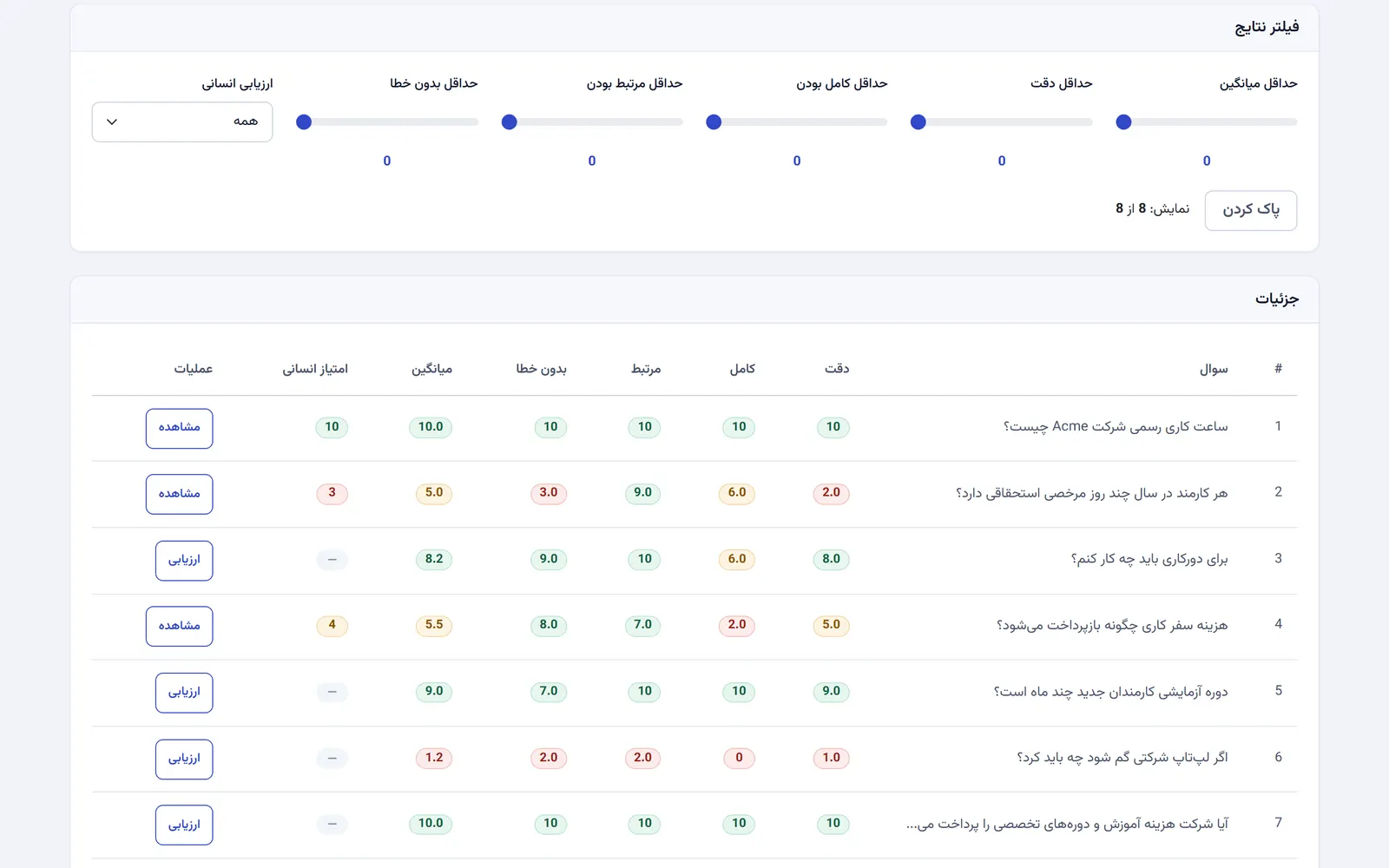 |
| Results dashboard: aggregate score per criterion and human-review progress | Results table: judge scores next to the human score, with filters |
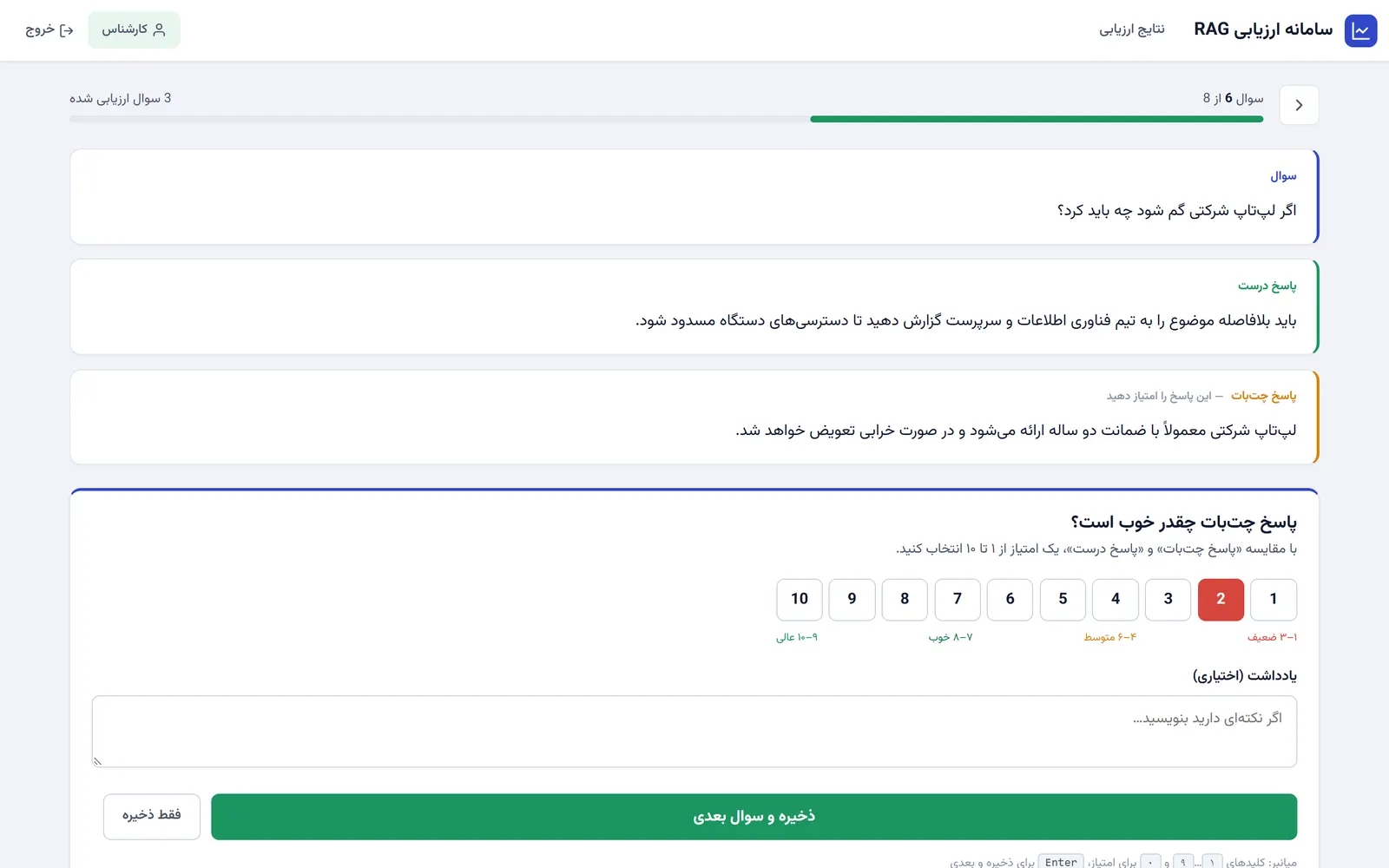 | 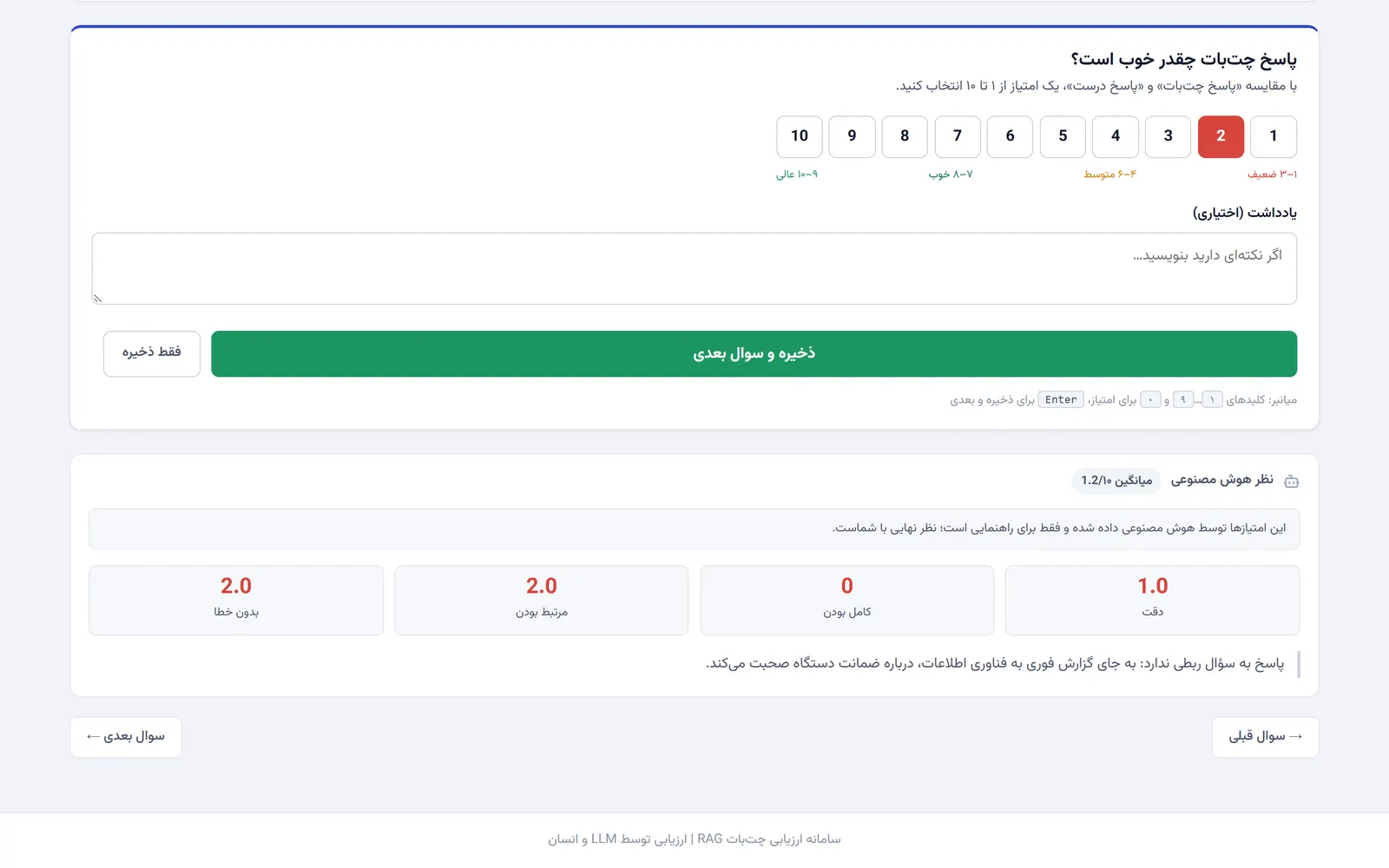 |
| Expert scoring: question, reference, then the bot answer, with a 1-10 score | Judge opinion: the AI scores and explanation, collapsed until the expert opens them |
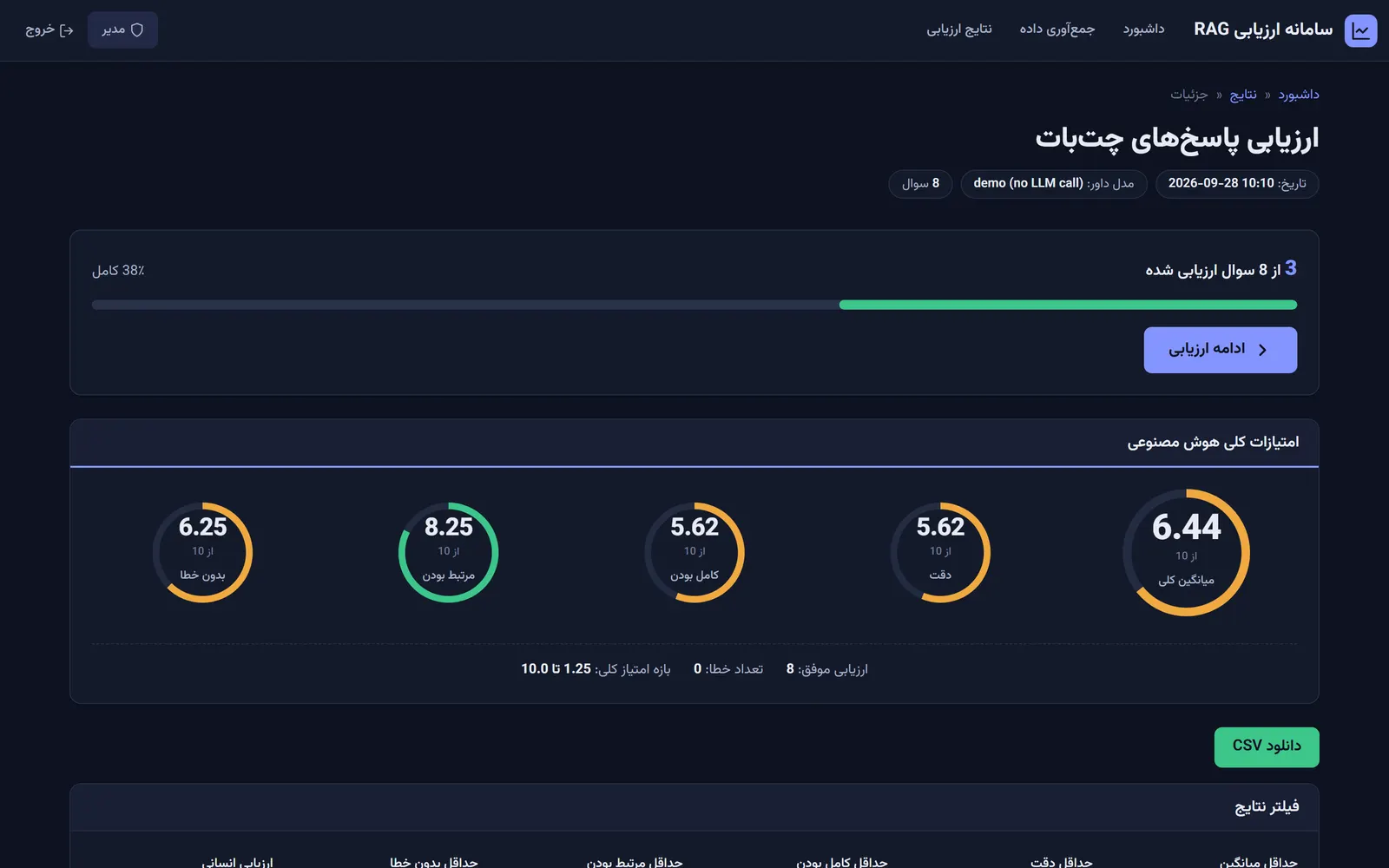 | 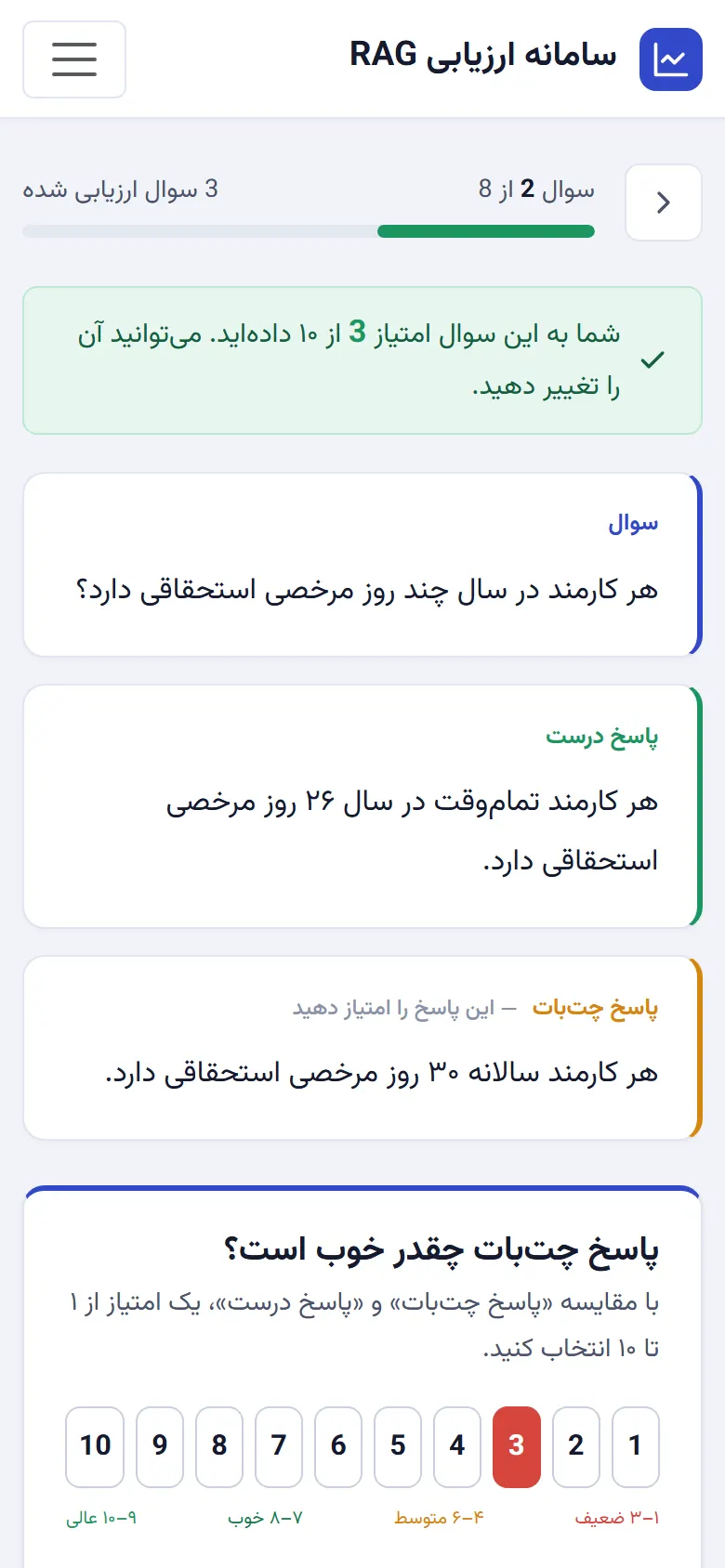 |
| Dark theme follows the OS setting | Mobile: the scoring flow works on a phone |
To regenerate them: seed the demo file, run the app with SECRET_KEY=dev ADMIN_PASSWORD=admin EXPERT_PASSWORD=expert FLASK_PORT=4170 python app.py, then node scripts/capture-screenshots.js (needs Playwright installed where Node can resolve it). The same script renders docs/images/hero.png from scripts/hero.html.
License
MIT
Built by Sepehr Radmard · LinkedIn · GitHub · more projects on my profile