 Radmard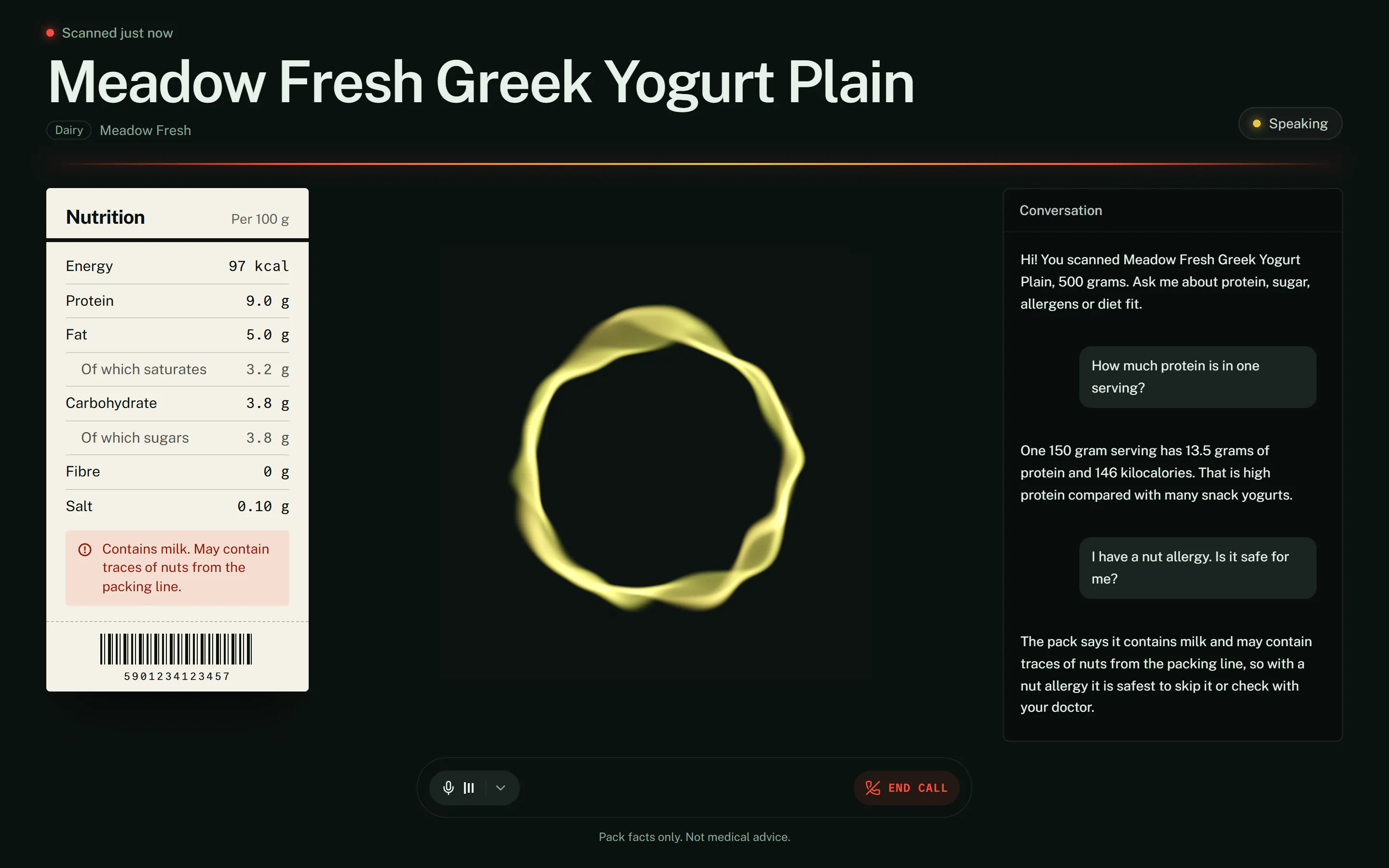
Scan a supermarket product, then ask it out loud about protein, sugar or allergens. A realtime voice agent answers from the pack facts only.
Talking view with demo data: synthetic catalog product and a scripted stand-in agent (see Screenshots).
Highlights
- Voice-first kiosk. Scan with a USB scanner or the camera, or tap a sample, and a voice session starts with that product already loaded.
- Two-model agent. A fast realtime speech model talks; a tool-using backend model answers nutrition and allergen questions from the pack files.
- Grounded answers. Tools return capped pack cards and text search over the scanned product only; no invented numbers, no medical claims.
- Kiosk UI. Shelf-ticket nutrition panel, live agent state, streaming transcript, responsive down to phone width.
Why it’s interesting
- Two-model voice agent. A realtime speech model (OpenAI GPT-Live through a LiveKit Agents worker) handles the conversation and is instructed to delegate any nutrition, allergen or diet question to a backend model that has tools and answers only from tool results (
agent/src/agent.py). The voice model stays fast and natural; the backend model stays grounded. - Barcode state synced over RPC. The kiosk reads a scan (USB HID scanner or camera), calls the worker’s
set_productRPC, and the worker loads the product, publishesproduct.*participant attributes, and silently injects the pack facts into the live session before greeting the customer. - Grounded, bounded answers. Tools return compact pack cards (capped length) and text search over the scanned product’s files; instructions forbid invented numbers and medical claims.
- Swappable catalog.
FolderCatalogreadsdata/products/{ean}/*.txt; a vector store can replace it behind the sameget/searchmethods without touching the tools. Barcode input is normalized so junk cannot escape the catalog directory (tested).
Screenshots
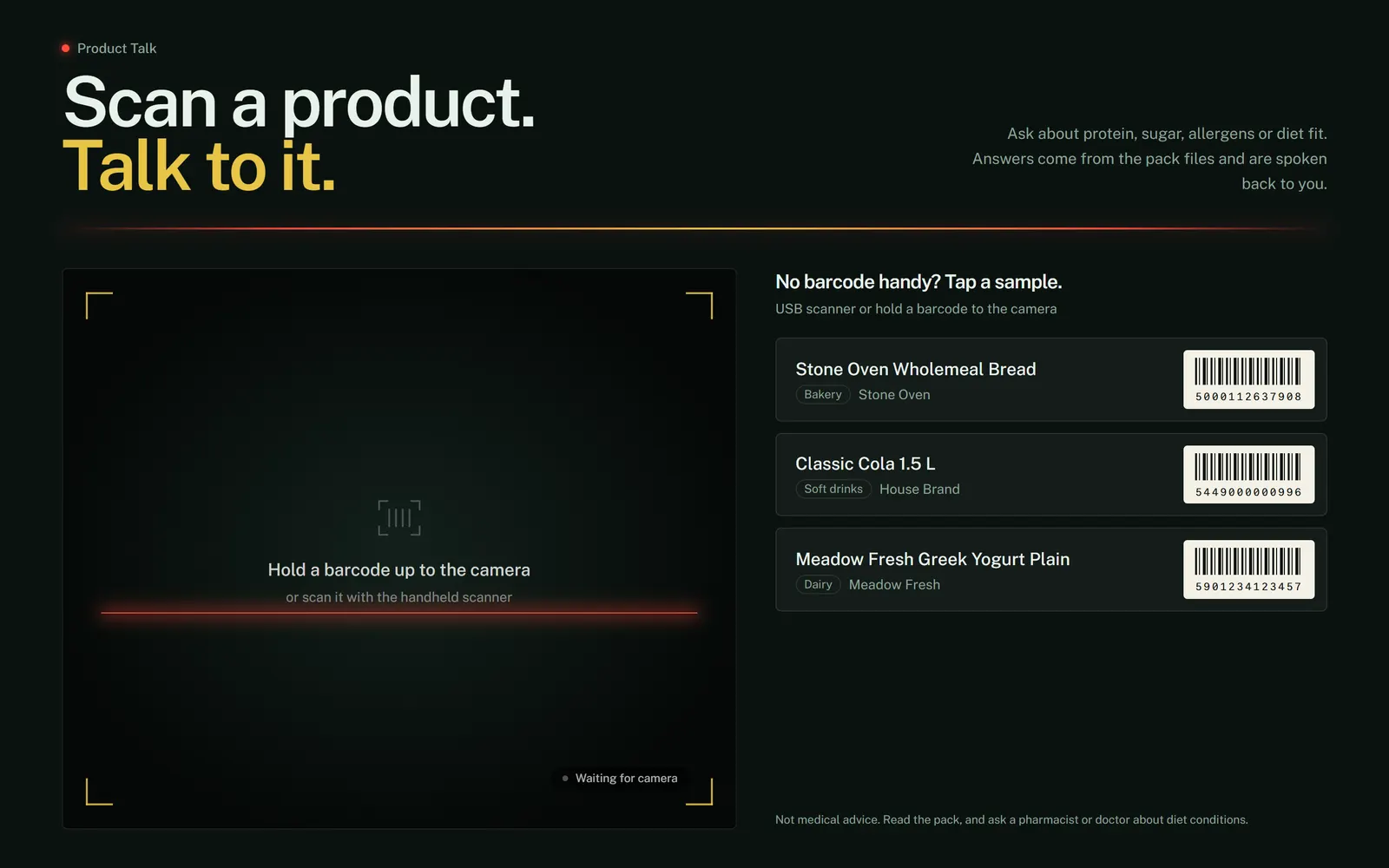
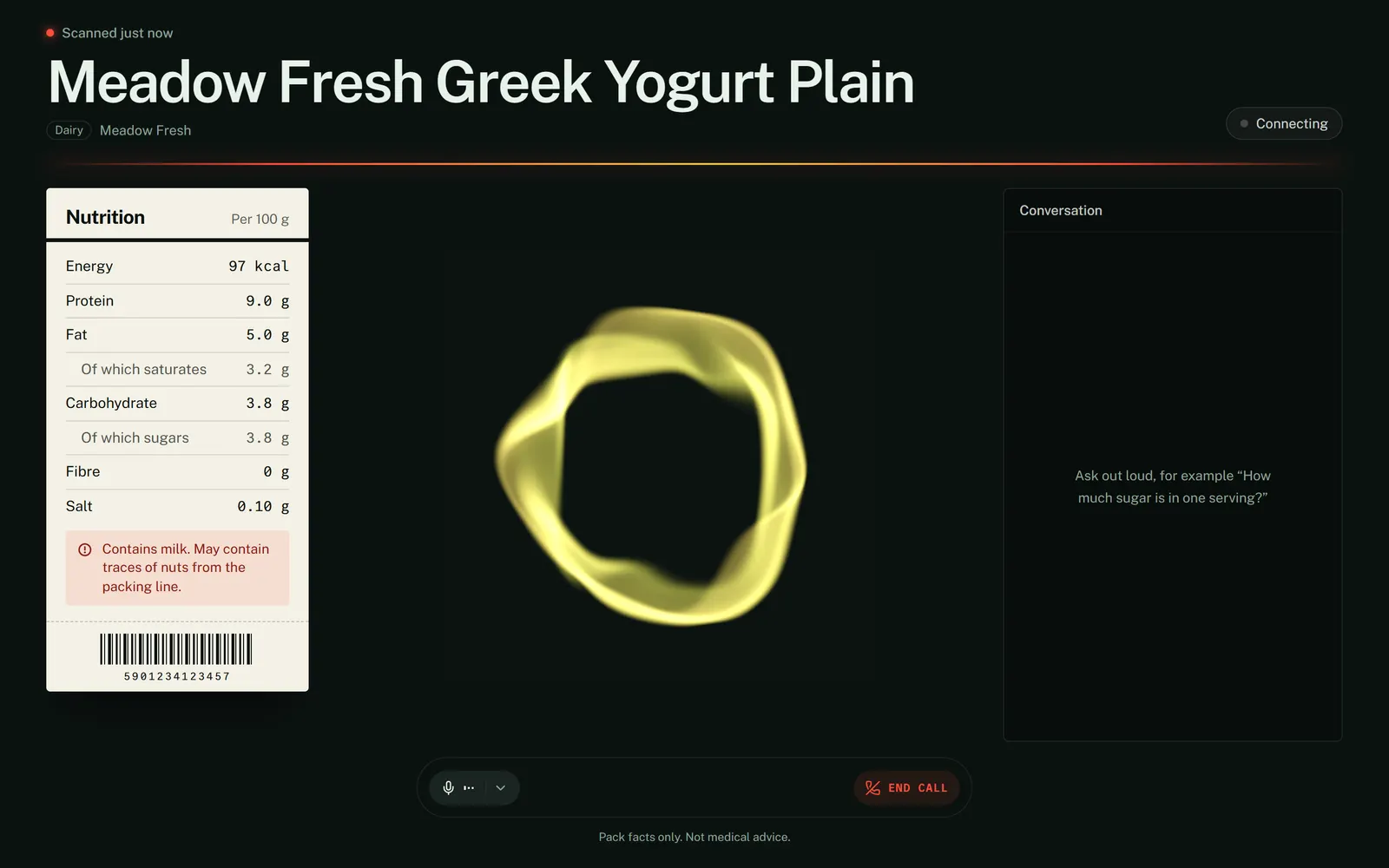
| Idle: scan or tap a sample | Product scanned, agent joining |
|---|---|
 |  |
| Phone width | Phone width, after a few questions |
|---|---|
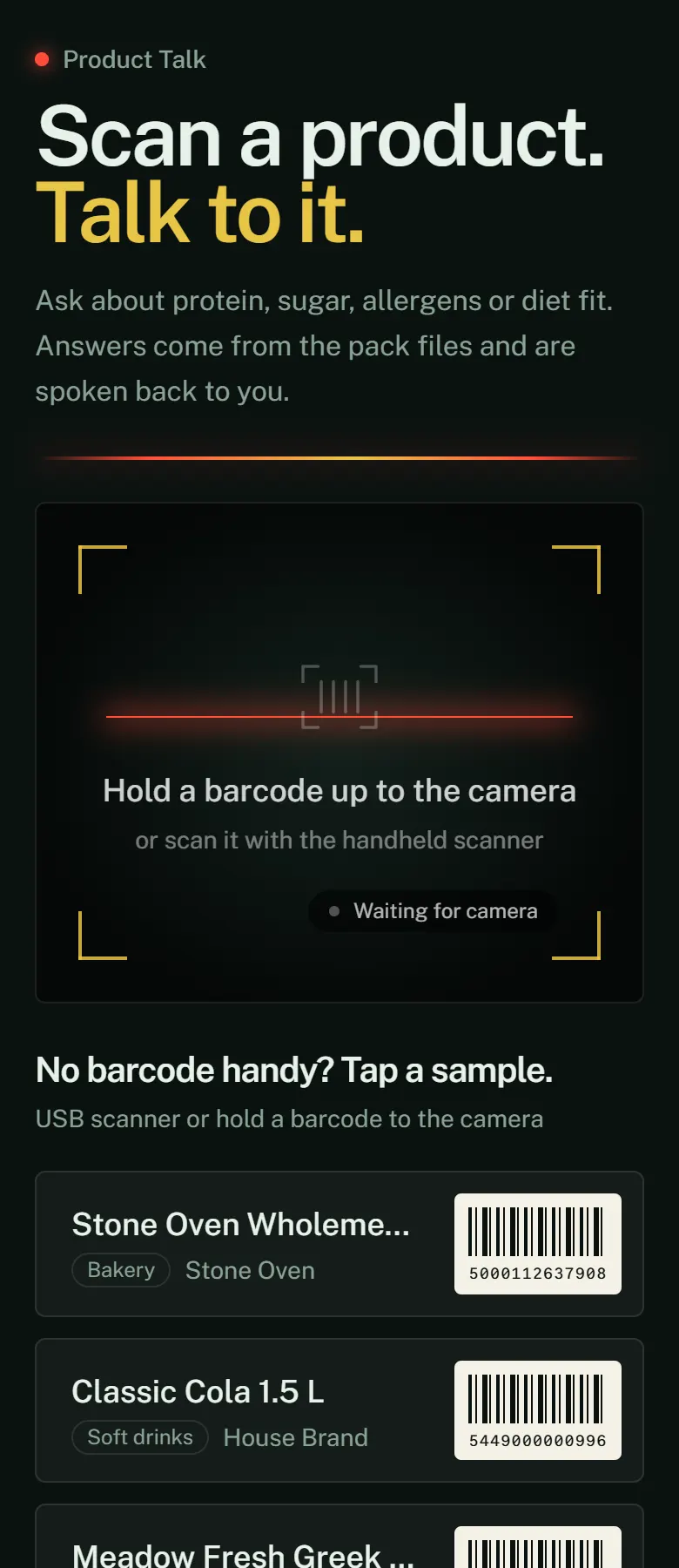 | 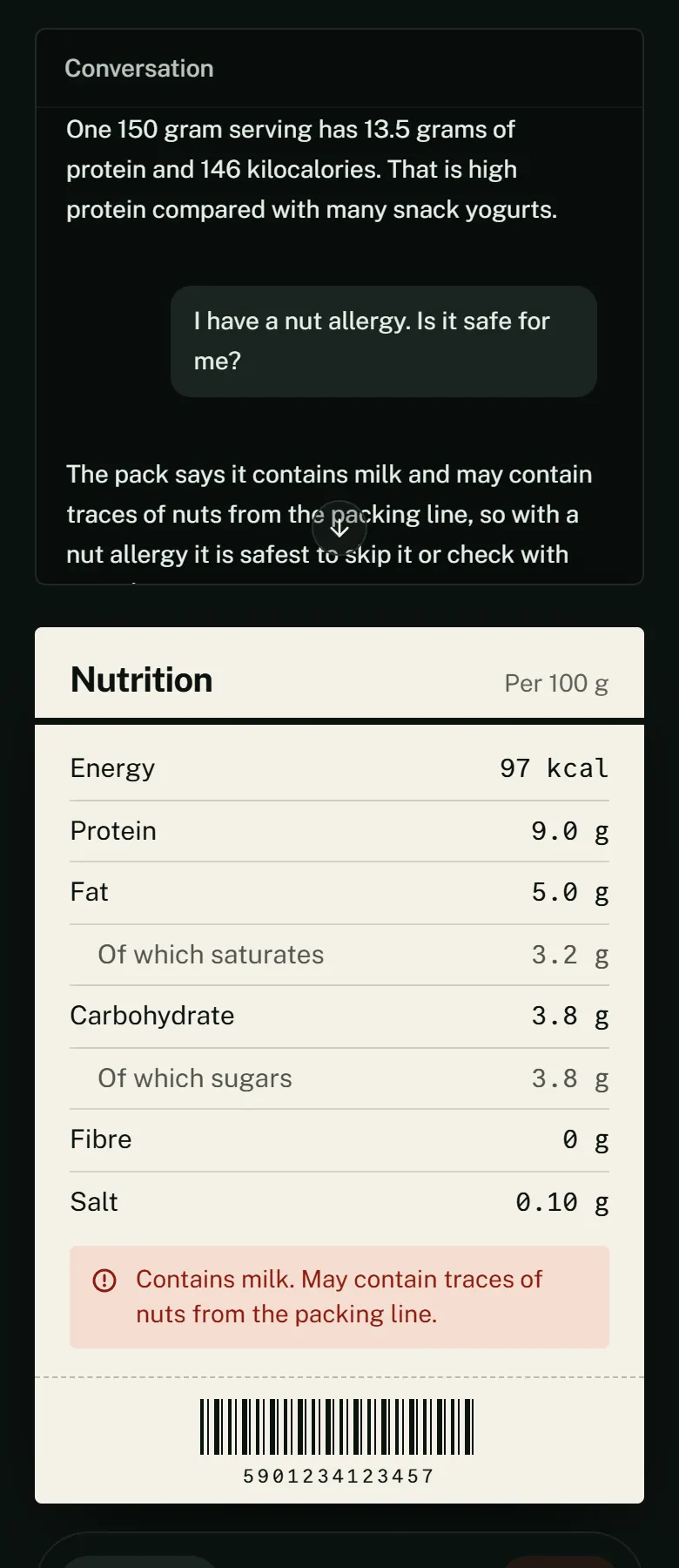 |
All screenshots use demo data: the three synthetic products in data/products/ and a scripted stand-in agent (scripts/demo_agent.py) on a local LiveKit dev server, so no API keys are involved. The stand-in plays a synthetic tone and a canned transcript copied from the yogurt’s pack files; the real worker is agent/src/agent.py. Recapture with scripts/capture-screenshots.js (setup steps in its header).
Architecture
flowchart LR
    SC[HID scanner / camera / tap sample] --> K[Next.js kiosk + Agents UI]
    K -->|POST /api/token| T[Token route: JWT + agent dispatch]
    K <-->|WebRTC audio| LK[LiveKit Cloud]
    K -->|RPC set_product| W[Python agent worker]
    LK <--> W
    W --> V[Realtime voice model]
    V -->|delegates questions| B[Backend model with tools]
    B --> C[FolderCatalog: data/products]
The kiosk UI joins a LiveKit room; the token route dispatches the named agent into it. After a scan, the worker updates session state and pushes the product card to the voice model as silent context plus a greeting cue. Questions go through the tools get_scanned_product, lookup_barcode and search_product_text.
Tech stack
Python 3.12, livekit-agents, OpenAI realtime plugin, Silero VAD, uv, pytest. Next.js, LiveKit Agents UI (shadcn), pnpm.
Layout
agent/            Python worker (tools, RPC handler, catalog)
kiosk/            Next.js kiosk UI (based on the LiveKit agent starter, MIT)
data/products/    one folder per barcode (three synthetic samples)
docs/PROJECT.md   working notes and layout map
scripts/          screenshot capture + scripted demo agent (no LLM)
Sample codes: 5901234123457 yogurt, 5449000000996 cola, 5000112637908 bread.
Getting started
Requirements: Python 3.12 + uv, Node + pnpm, a LiveKit Cloud project, an OpenAI key with GPT-Live access.
cp .env.example .env.local            # also copy to kiosk/.env.local
# fill LIVEKIT_URL, LIVEKIT_API_KEY, LIVEKIT_API_SECRET, OPENAI_API_KEY
# set ALLOW_KIOSK_TOKEN=1 in production-mode runs (see Security notes)

cd agent && uv sync && uv run python src/agent.py dev

cd kiosk && pnpm install && pnpm dev   # http://localhost:3000
Check the catalog without LiveKit:
cd agent && uv run python src/catalog.py --ean 5901234123457Tests
cd agent && uv run pytest tests/test_catalog.py tests/test_agent.py -qCatalog tests are offline. test_agent.py exercises the scan state and tools.
Security notes
POST /api/tokeninkiosk/app/api/token/route.tshas no authentication: anyone who can reach the kiosk can mint a LiveKit token and dispatch the agent. It only runs in development, on Vercel previews, or whenALLOW_KIOSK_TOKEN=1is set. That is acceptable for a kiosk on a trusted network, not for the public internet; put an auth layer or rate limit in front before exposing it.- The HTTPS helper (
https-proxy.mjs) is for self-signed, in-store use. - Never commit
.env.local. Nutrition answers are read from pack text and are not medical advice.
License
MIT, see LICENSE. The kiosk/ UI is derived from LiveKit’s MIT-licensed starter; its own license is kept in kiosk/LICENSE.
Built by Sepehr Radmard · LinkedIn · GitHub · more projects on my profile