 Radmard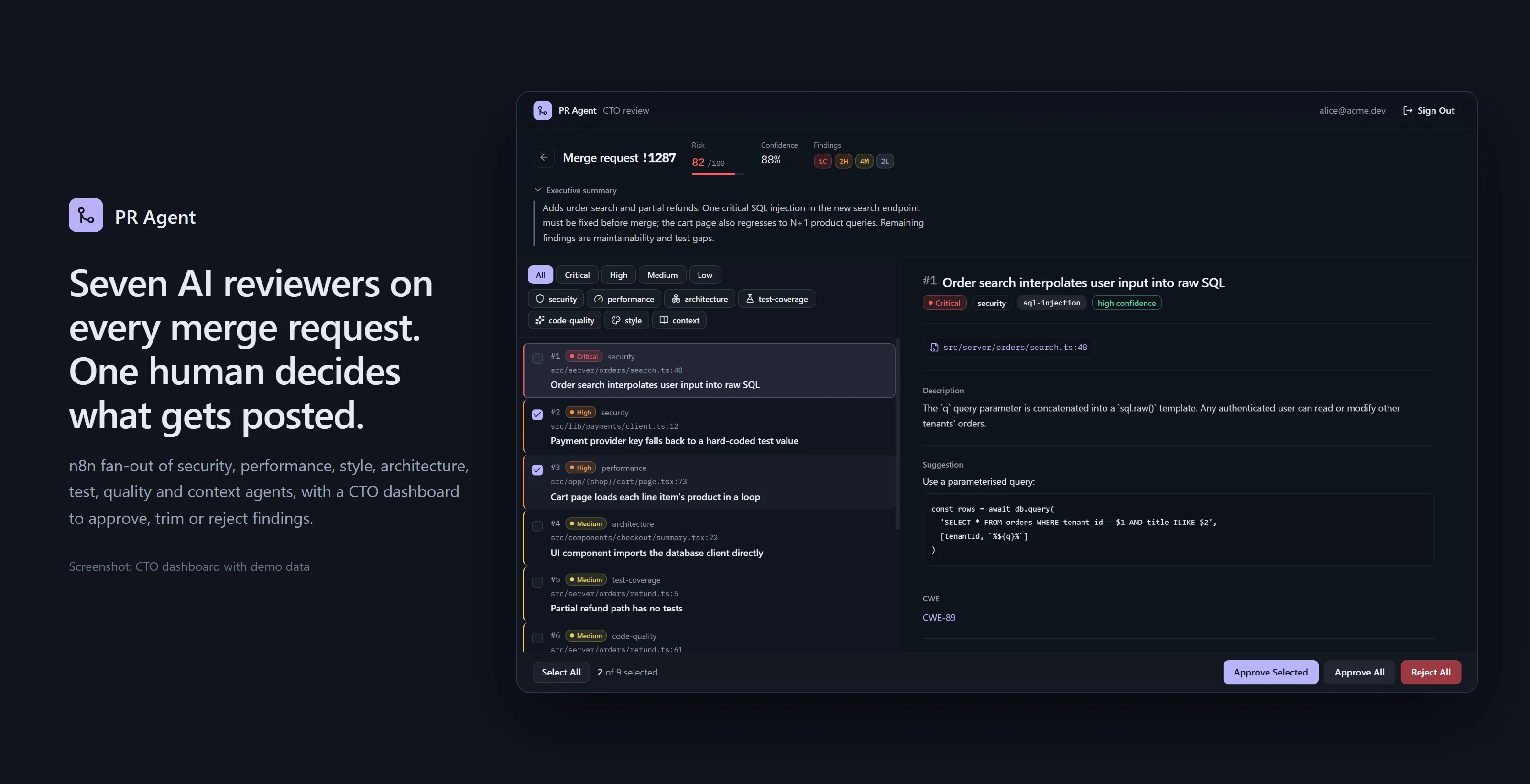
Seven AI reviewers on every merge request, and one human who decides what gets posted.
Seven specialised LLM review agents run in parallel on every merge request. A reviewer approves, edits or explains the findings from GitLab comments or a web dashboard, and approved/rejected findings feed back into later reviews.
Highlights
- Parallel fan-out: 7 agent calls per MR in one n8n workflow (25 nodes), merged into one scored draft with risk and confidence.
- Human approval gate: findings sit in
pending_approvaluntil a named approver acts, either in the MR thread or in the dashboard. - 9 MR-thread commands: approve all or some, reject, edit, remove, comment, list, explain, re-run one agent. They are handled by a 50-node approval workflow.
- Feedback loop: decisions go into
review_history. Per-project patterns are fed back into the next review’s context. - CTO dashboard: a queue ranked by risk score, severity and category filters, finding details (CWE, impact, suggested fix, test example), and bulk approve/reject. Persian summaries are shown right to left.
Screenshots
All dashboard screenshots use the bundled demo backend (dashboard/scripts/mock-supabase.mjs) with fictional demo data (repo acme/web, users alice@acme.dev / bob@acme.dev).
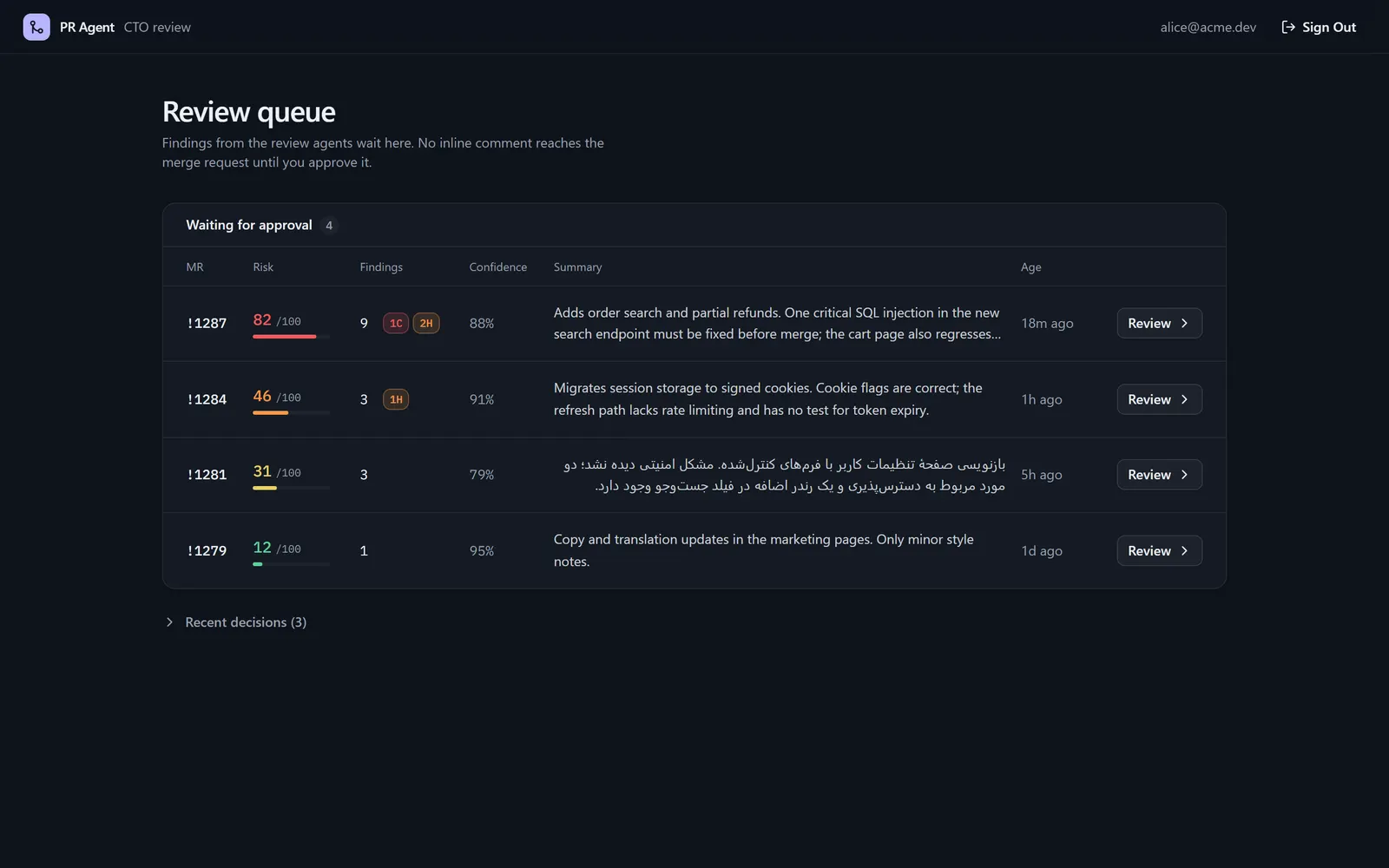 | 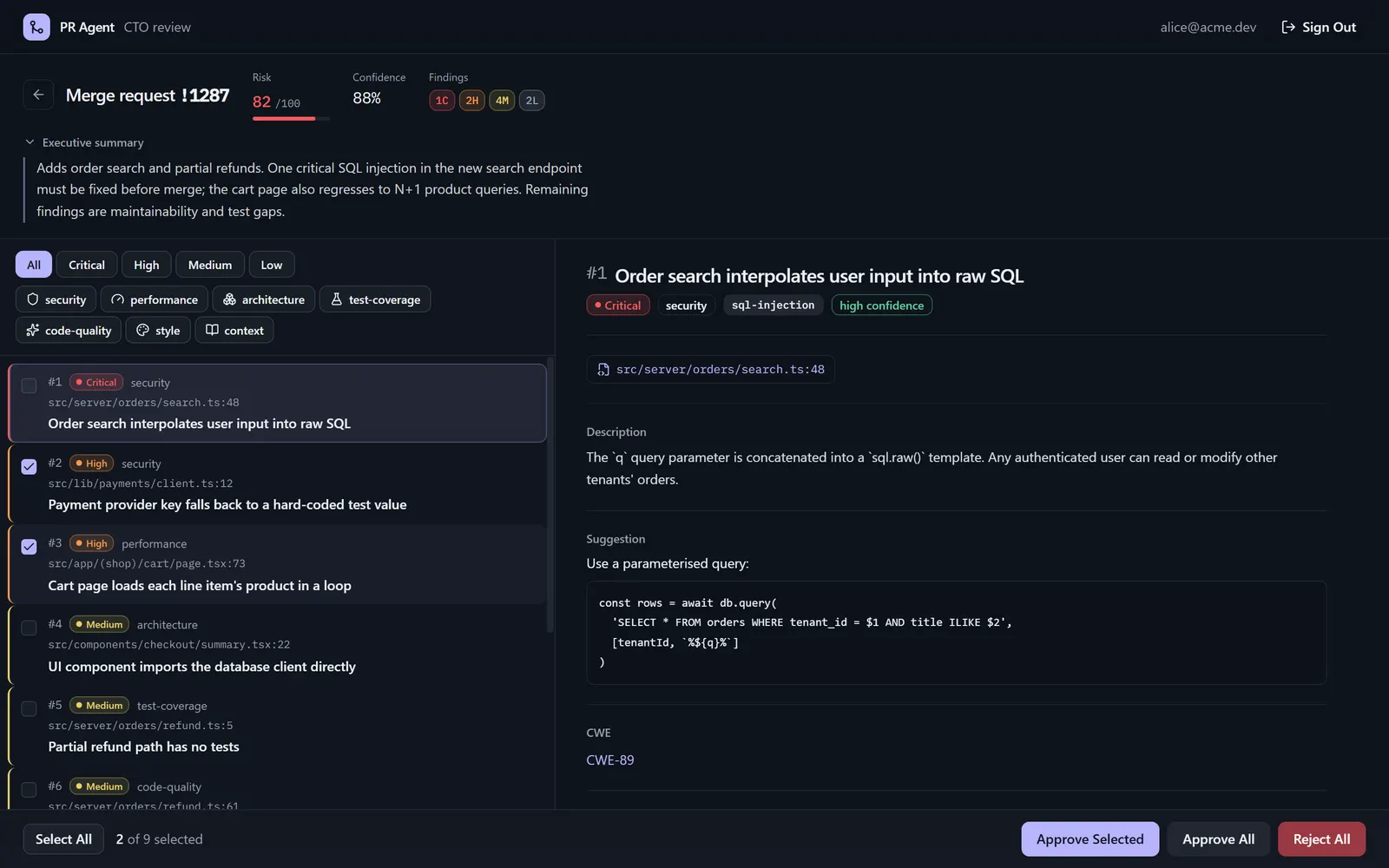 |
| Review queue: pending merge requests with risk meter, severity counts and summary (demo data). | Finding detail: a critical SQL injection finding with a CWE link and a suggested fix. Two findings are selected for partial approval (demo data). |
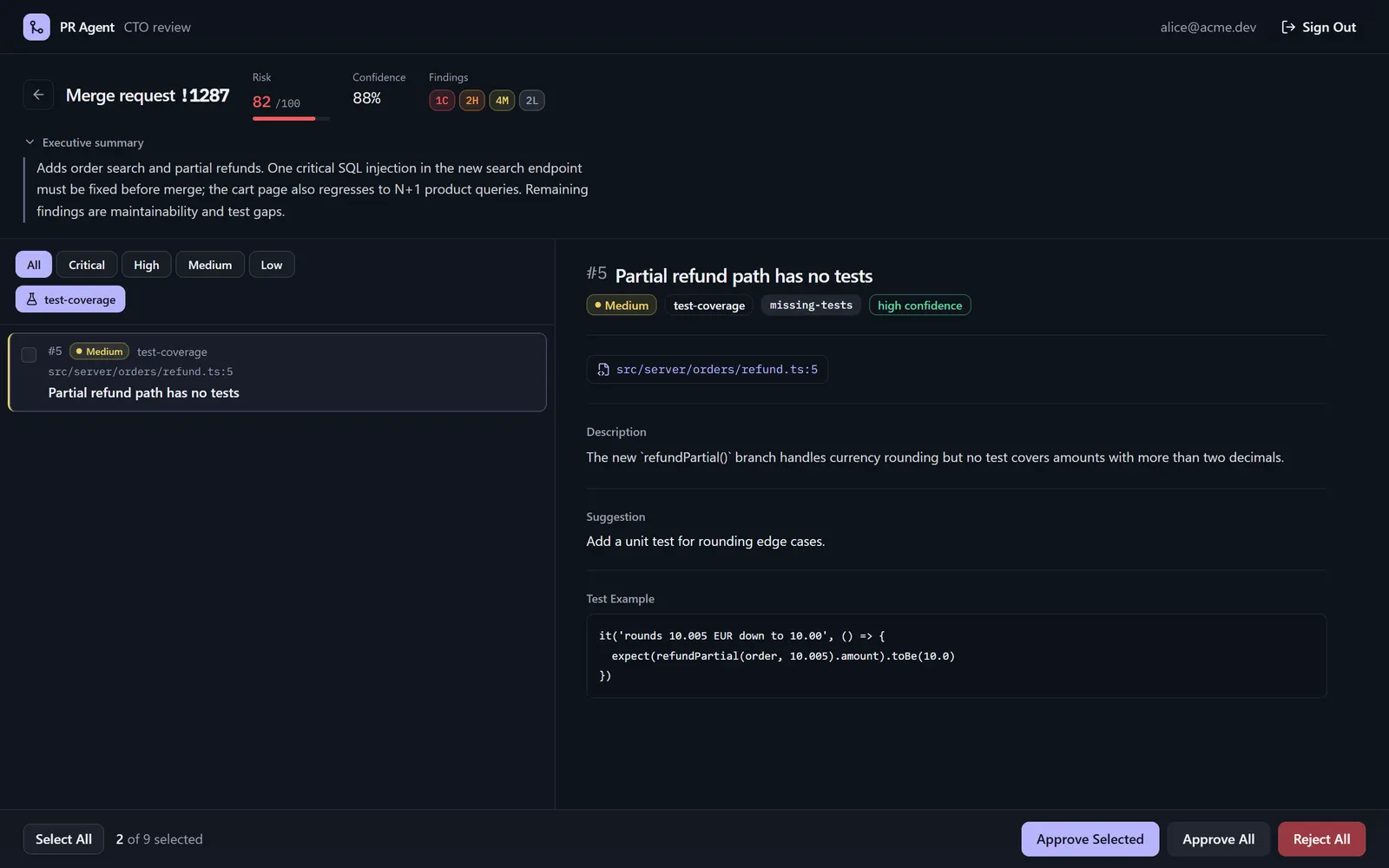 | 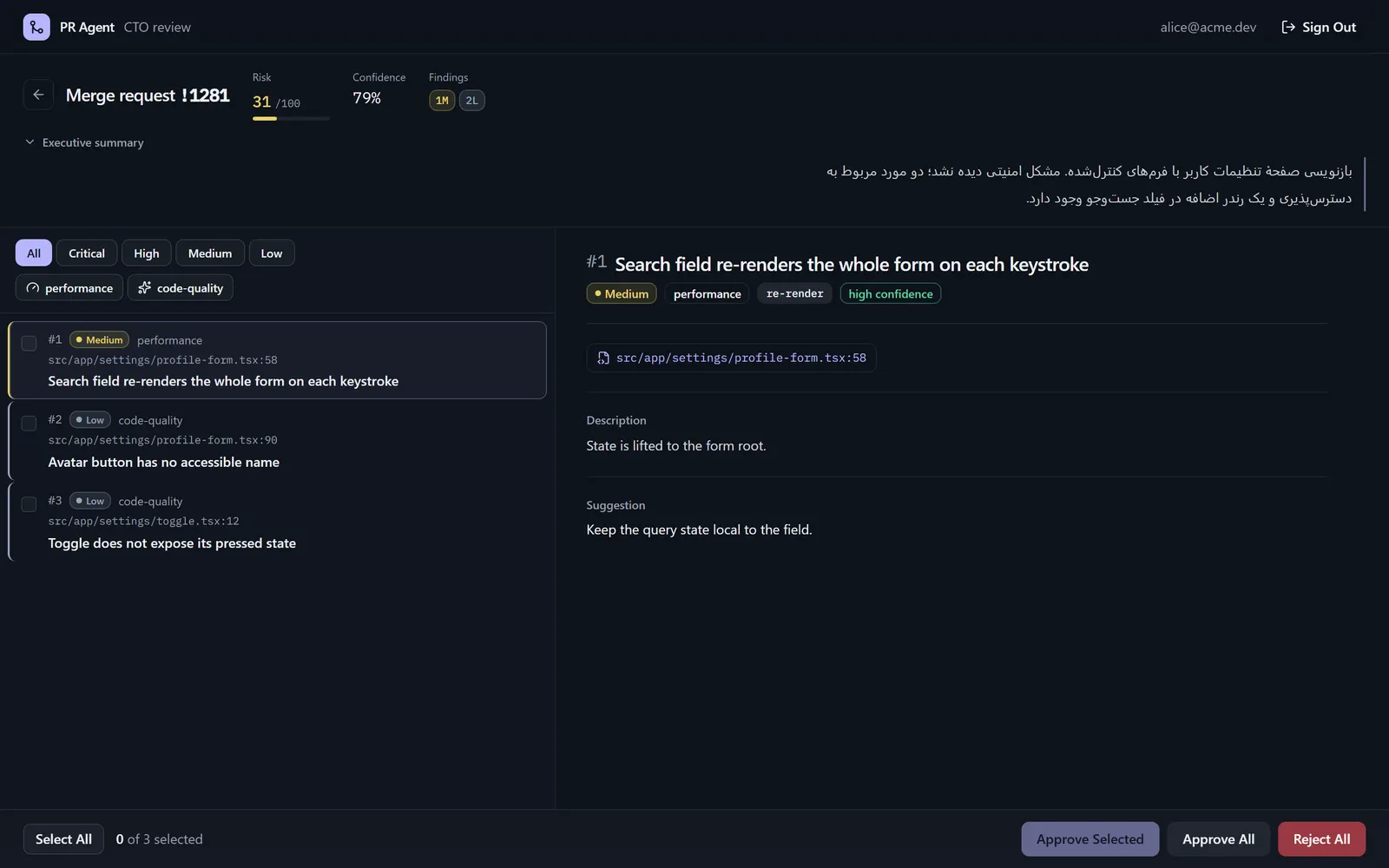 |
| Category filter: test-coverage findings only, with the agent’s proposed test (demo data). | Persian executive summary, laid out right to left (demo data). |
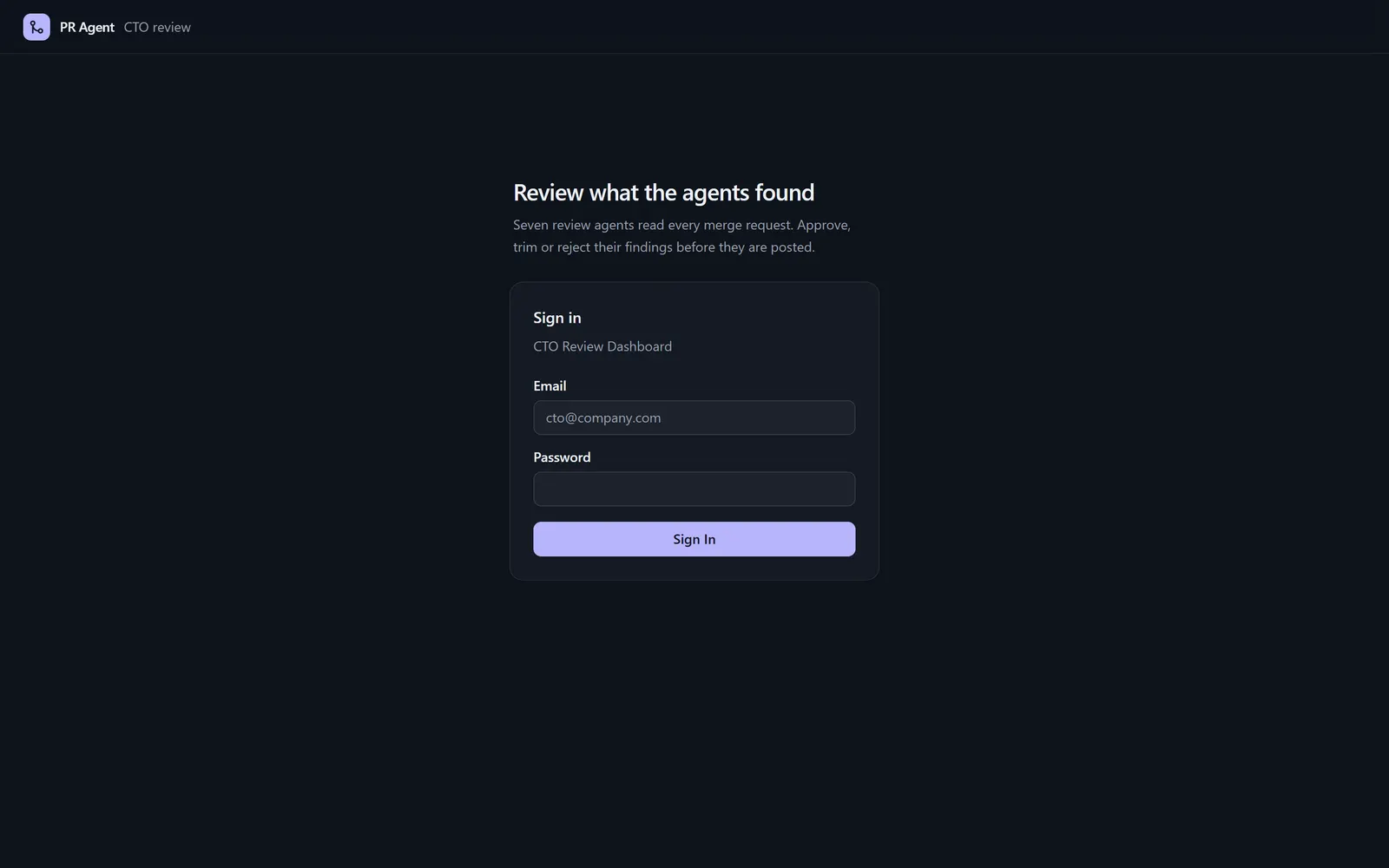 | 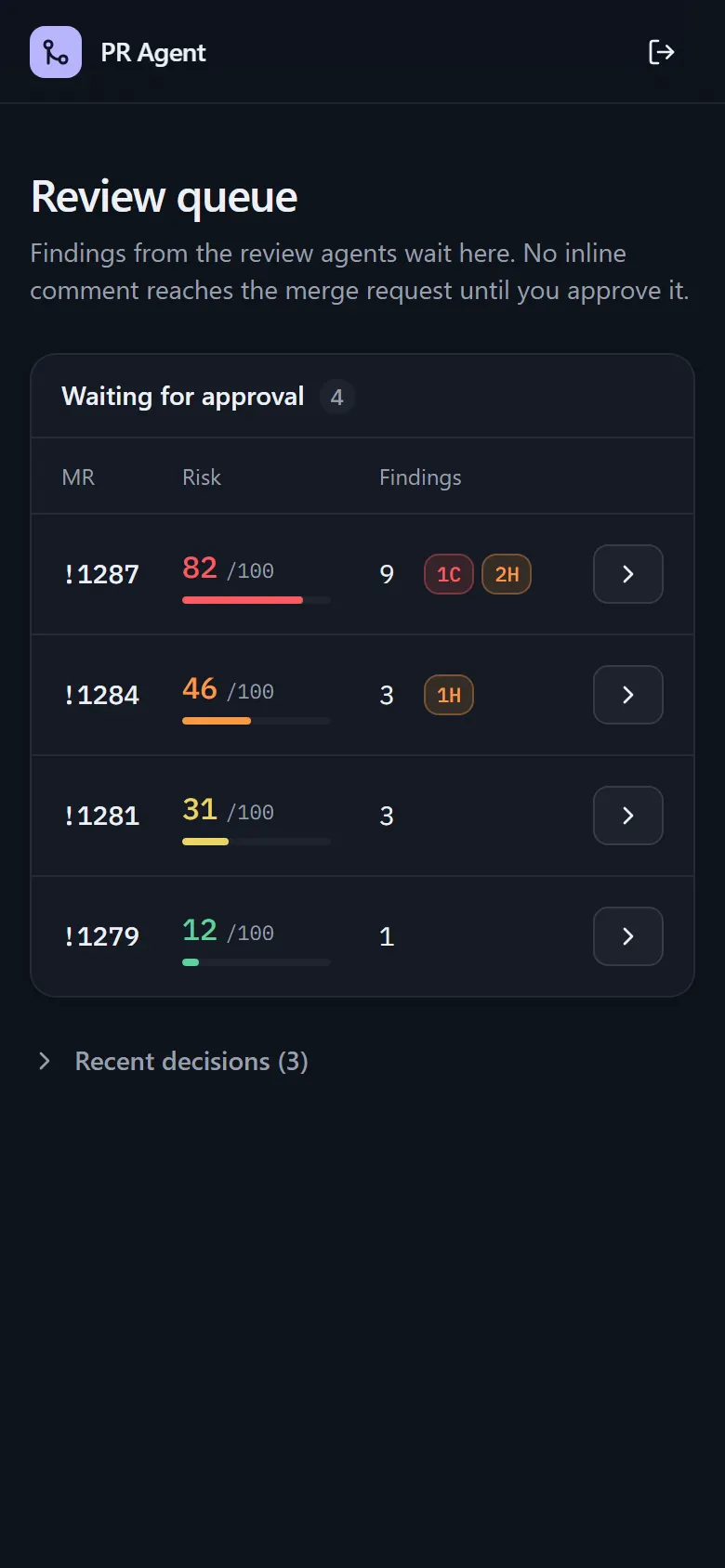 |
| Sign in (Supabase Auth; the demo backend accepts any login). | Mobile: the queue on a 390 px screen (demo data). |
The workflows, drawn from the exported JSON
These are diagrams, not screenshots of n8n. scripts/render-workflow-graph.cjs draws them from the nodes and connections in workflow-main.json and workflow-approval.json.
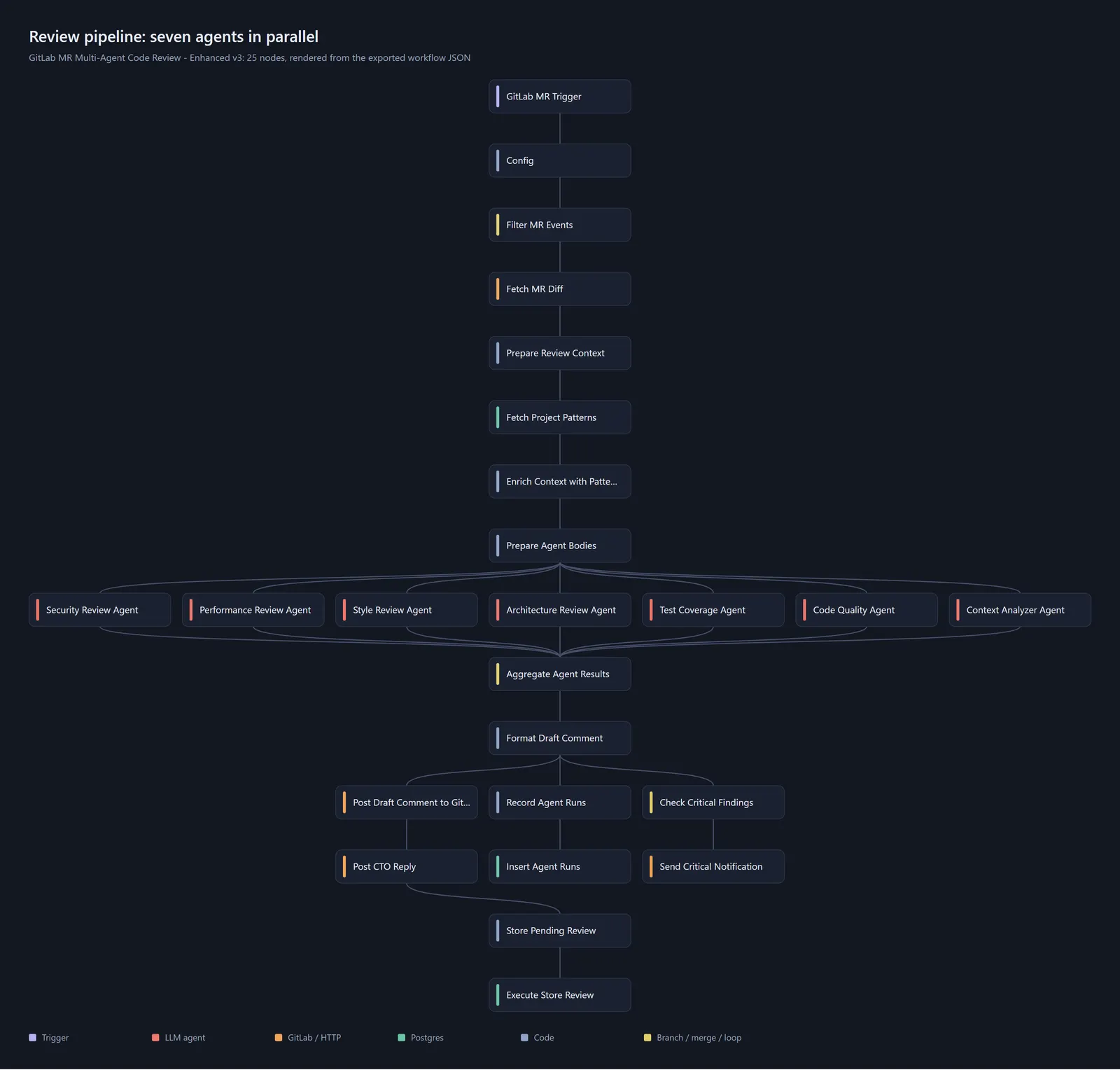

The approval graph is wide (50 nodes); open the image for full size. Dashed yellow arrows are the comment-posting loops (Post Comment back to Batch … Comments).
Why it’s interesting
- Seven parallel review agents as one n8n workflow. Security, performance, style, architecture, test coverage, code quality and a context analyzer each get their own prompt and run concurrently against the same MR diff (
workflow-main.json). - Human-in-the-loop by design. Nothing is posted as inline comments until an authorized approver acts. The draft summary is posted first; findings are stored as
pending_approvalin Postgres. - Learns from decisions. Approvals and rejections are written to a
review_historytable; per-project patterns are fetched and injected into the agent context on the next MR (Fetch Project Patterns/Enrich Context with Patternsnodes, schema indatabase/migration-v3.sql). - Command surface in the MR thread.
!approve,!approve-partial 1,3,5-7,!reject,!edit-finding,!remove-finding,!add-comment,!list-findings,!explain,!rerun-agentare parsed and routed byworkflow-approval.json, restricted toAUTHORIZED_APPROVERS. - CTO panel. A Next.js + Supabase dashboard does the same actions with a proper UI (severity badges, findings list, bulk approve/reject) via Supabase Edge Functions. Design doc:
docs/cto-panel.md.
Architecture
flowchart LR
    GL[GitLab MR webhook] --> M[n8n: workflow-main]
    M --> D[Fetch MR diff]
    D --> CTX[Prepare context + project patterns]
    CTX --> A1[Security]
    CTX --> A2[Performance]
    CTX --> A3[Style]
    CTX --> A4[Architecture]
    CTX --> A5[Test coverage]
    CTX --> A6[Code quality]
    CTX --> A7[Context analyzer]
    A1 & A2 & A3 & A4 & A5 & A6 & A7 --> AGG[Aggregate + draft comment]
    AGG --> PG[(Postgres / Supabase)]
    AGG --> GL
    GL2[GitLab note webhook: !commands] --> AP[n8n: workflow-approval]
    AP --> PG
    AP --> GL
    DASH[Next.js CTO dashboard] --> PG
    DASH --> EF[Supabase Edge Functions] --> GL
The main workflow reviews and stores; the approval workflow handles commands and writes history; the dashboard reads the same tables.
Tech stack
n8n, GitLab API and webhooks, OpenRouter (model configurable), PostgreSQL (Supabase), Next.js (App Router) + shadcn/ui + Tailwind, Supabase Auth and Edge Functions (Deno).
Key techniques
- Fan-out/fan-in of LLM calls with per-agent prompts and structured JSON findings:
workflow-main.json - Command parsing, routing and authorization:
Parse CommandandRoute Commandnodes inworkflow-approval.json - Feedback loop schema (
review_history,project_patterns,ignored_patterns,cto_feedback,agent_runs):database/migration-v3.sql - Dashboard actions:
dashboard/src/lib/actions.ts,dashboard/supabase/functions/ - Runtime config (review mode, minimum severity, findings cap):
config/review-settings.json.example
Getting started
Full walkthrough: SETUP-GUIDE.md (and CONFIGURATION-GUIDE.md). Short version:
- Database. Create a Postgres/Supabase project. Create the
pending_reviewstable fromSETUP-GUIDE.mdstep 1.3, then rundatabase/migration-v3.sql. - Credentials in n8n. Create: a PostgreSQL credential, a GitLab API credential, an HTTP Header Auth credential with
PRIVATE-TOKEN: <gitlab token>, and an OpenRouter header-auth credential. - Import the workflows. In n8n choose Add workflow, then the menu Import from File, and import
workflow-main.jsonandworkflow-approval.json. - Reconnect credentials. The exported JSON contains placeholders (
{{POSTGRES_CREDENTIAL_ID}},{{GITLAB_CREDENTIAL_ID}},{{GITLAB_HEADER_AUTH_ID}}). Open each node that shows a credential warning and select your credential. - Set the
Confignode values in both workflows:GITLAB_URL(defaulthttps://gitlab.example.com),APP_URL,OPENROUTER_MODEL,AUTHORIZED_APPROVERS(defaultyour-gitlab-username),MIN_SEVERITY,REVIEW_MODE. - GitLab webhooks. Point Merge request events at the main workflow webhook URL and Comments at the approval workflow webhook URL. Activate both workflows.
- Dashboard (optional).
Deploy the edge functions with the Supabase CLI (seecd dashboard cp .env.local.example .env.local # fill Supabase + GitLab values npm install npm run devdashboard/SETUP.md).
Dashboard demo (no Supabase, no GitLab)
dashboard/scripts/mock-supabase.mjs is a small in-memory stand-in for Supabase Auth, PostgREST and the two Edge Functions. It serves fictional reviews. Any email and password will sign you in.
cd dashboard
npm install
MOCK_PORT=54321 node scripts/mock-supabase.mjs &
NEXT_PUBLIC_SUPABASE_URL=http://127.0.0.1:54321 NEXT_PUBLIC_SUPABASE_ANON_KEY=demo \
  npx next dev -H 127.0.0.1 -p 3000
# open http://127.0.0.1:3000/login
To regenerate the README images, install playwright and run these commands with the demo running. BASE is the dashboard URL:
BASE=http://127.0.0.1:3000 node dashboard/scripts/capture-screenshots.cjs   # dashboard screenshots + hero
node scripts/render-workflow-graph.cjs                                      # workflow diagrams
Tests
There is no automated test suite. Verify end to end by opening a test MR and confirming the draft comment appears, then reply with !list-findings and !approve.
License
MIT, see LICENSE.
Built by Sepehr Radmard · LinkedIn · GitHub · more projects on my profile